
Blocker Web Pro
Block More Websites and Stay Focused
Upgrade to Blocker Web Pro to remove the 5 website blocker limit, unlock Remote Lockdown, use Shared Folder Lockdown, and keep distracting websites blocked when focus matters most.
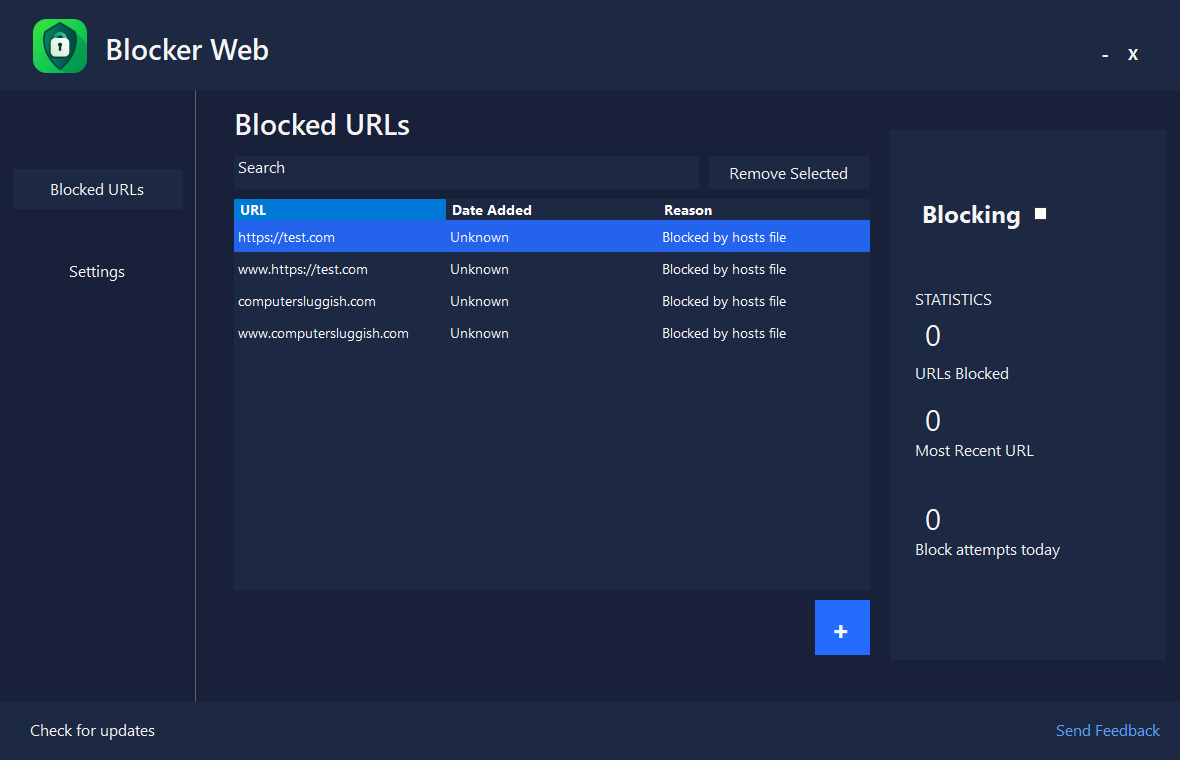
Upgrade to Blocker Web Pro
Choose ComputerSluggish Pro+ monthly for access to multiple tools,
or get Blocker Web Pro Lifetime with a one-time payment.
Most Popular
ComputerSluggish Pro+ Bundle
Includes Blocker Web Pro plus access to multiple ComputerSluggish PRO apps for one low monthly price.
- Blocker Web Pro included
- Distraction Blocker Pro included
- Easy Gamer Utility Pro included
- Easy System Utility Pro included
- Phoenix Customizer Pro included
- Ultimate Power Assistant Pro included
- CS Easy Unlocker Pro included
- Remove the 5 website blocker limit
- Remote Lockdown included
- Shared Folder Lockdown included
- Cancel anytime
- Secure checkout powered by Stripe
Blocker Web Pro Lifetime
Best if you only want Blocker Web Pro and prefer a one-time payment.
- Blocker Web Pro only
- One-time payment
- Remove the 5 website blocker limit
- Remote Lockdown included
- Shared Folder Lockdown included
- Future Pro features included
- 30-day money-back guarantee
- Secure checkout powered by Stripe
Secure checkout
Instant licence delivery
30-day refund guarantee on lifetime





What Blocker Web Pro Unlocks
Unlock stronger website blocking, block unlimited websites,
and get extra lockdown tools to help keep distractions under control.
Block Unlimited Websites
Go beyond the free 5 website limit and add as many websites as you need to your block list.
Remote Lockdown
Lock down Blocker Web settings remotely to help stop changes when stricter blocking is needed.
Shared Folder Lockdown
Add extra control around shared folders to help keep important shared access locked down when needed.
Advanced Blocking Control
Get more control over how you manage blocked websites, rules and focus settings inside Blocker Web Pro.
Better Focus Protection
Keep more distracting websites blocked so it is easier to stay focused while working, studying or browsing.
Pro Access and Updates
Unlock the Pro version of Blocker Web with access to current Pro tools and future Blocker Web Pro improvements.
Compare Blocker Web Free and Pro
See what is included in the free version and what you unlock when you upgrade to Blocker Web Pro.
| Feature | Free | Pro |
|---|---|---|
| Blocked Websites | Up to 5 websites | ✓ Block unlimited websites |
| Website Blocking | Included | ✓ Included with unlimited website blocking |
| Remote Lockdown | Pro required | ✓ Remotely manage and protect your blocking setup |
| Shared Folder Lockdown | Pro required | ✓ Manage supported lockdown controls through a shared folder |
| Blocking Controls | Basic controls | ✓ Advanced blocking and lockdown controls |
| Focus Protection | Basic protection | ✓ Additional controls to help protect your block list |
| Product Updates | Included | ✓ Included |
See Blocker Web Pro in Action
Explore website blocking, Remote Lockdown, Shared Folder Lockdown and the controls available inside Blocker Web Pro.
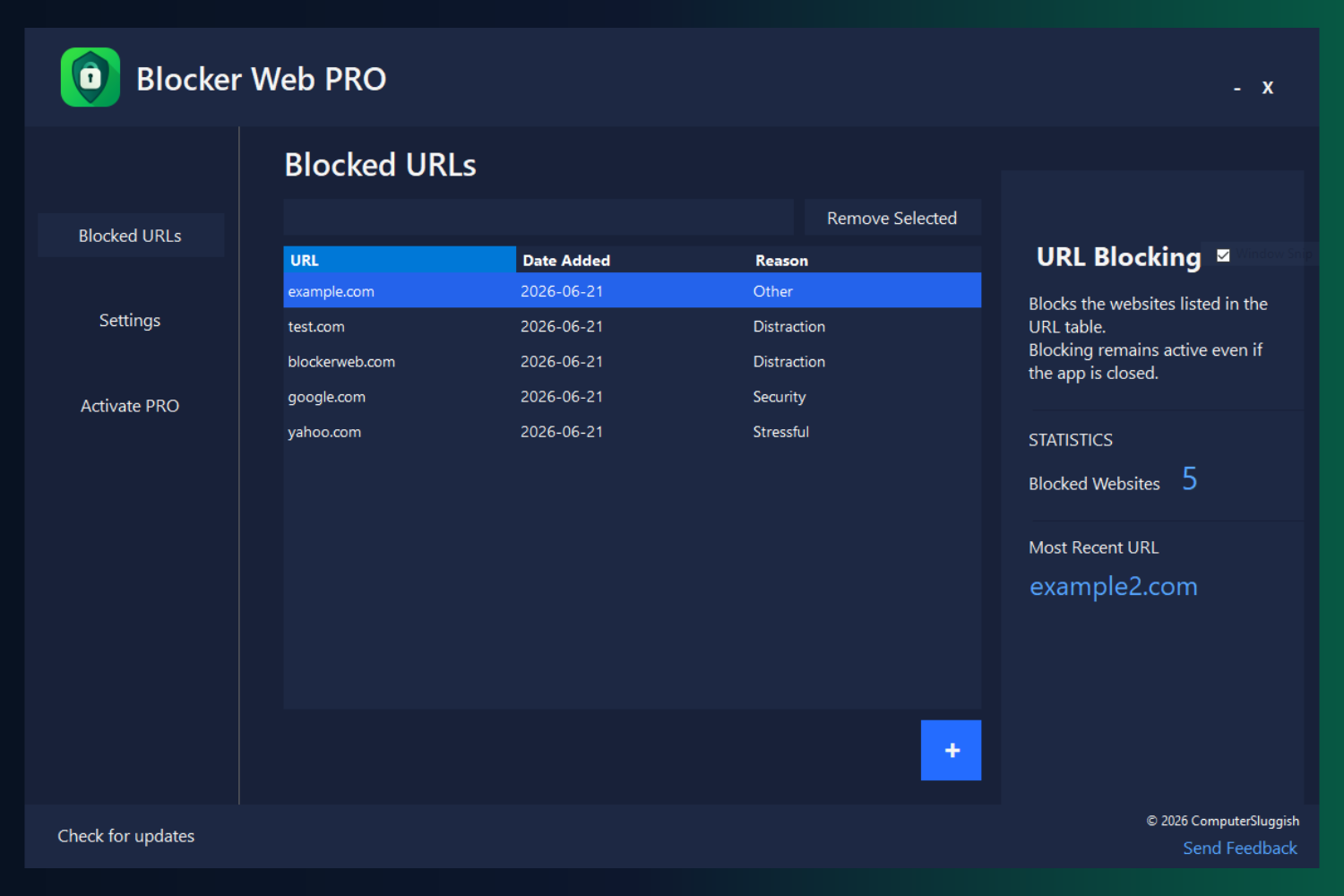
Website Block List
Add, search and manage the distracting websites you want Blocker Web to block.
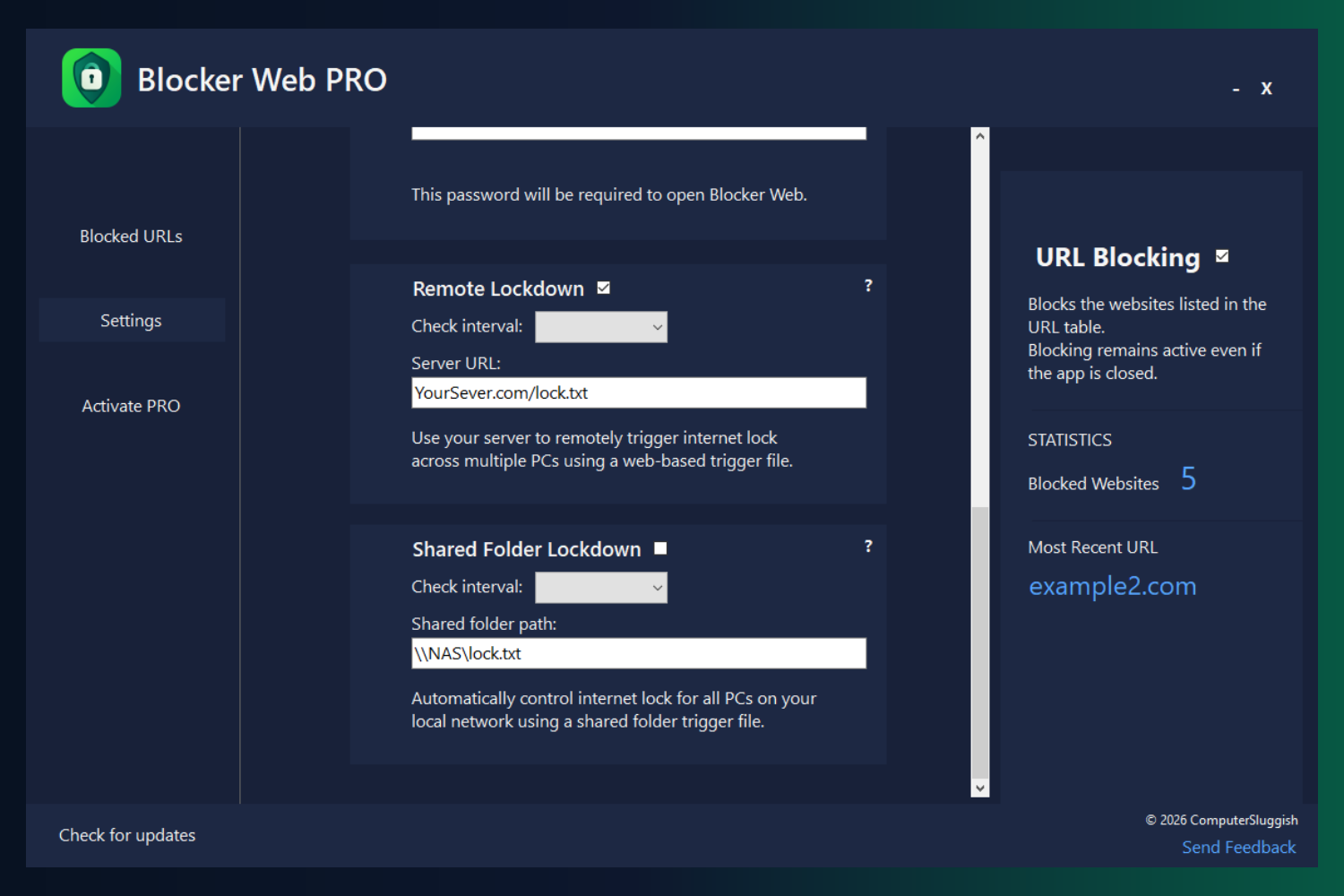
Remote and Shared Folder Lockdown
Trigger internet lockdown remotely using a web-based file, or control multiple PCs on your local network through a shared folder.
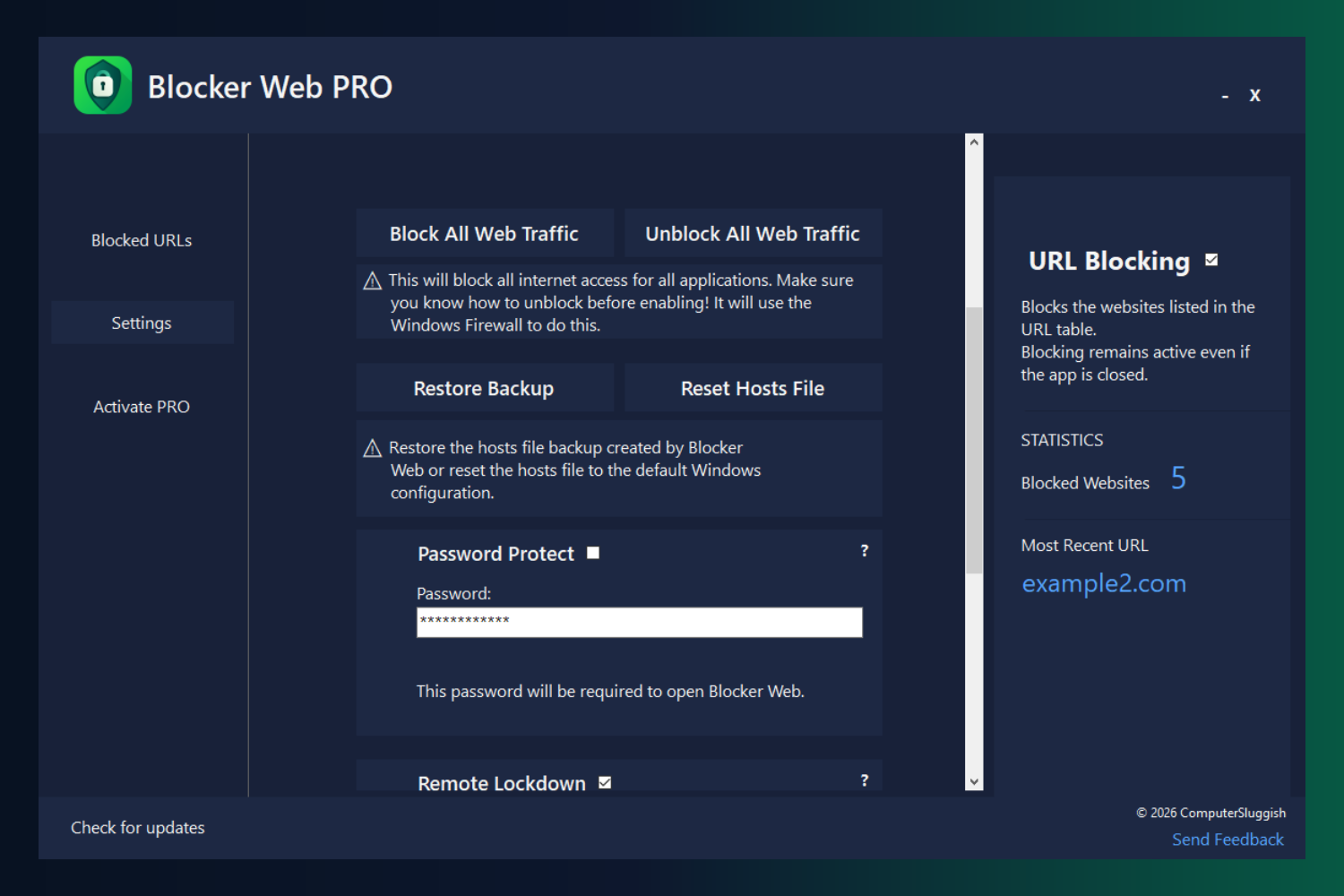
Block All Web Traffic
Block or restore internet access for all applications, with tools to back up and reset the Windows hosts file.
How Activation Works
Activate PRO in under 60 seconds — no reinstall required.
1
Complete Secure Checkout
Purchase your PRO license safely.
2
Receive License Key
Your key arrives instantly by email.
3
Unlock PRO Features
Enter the key inside Blocker Web Settings.
No account required • No reinstall needed • Works instantly
Frequently Asked Questions
Quick answers before you unlock Blocker Web Pro.
What is included in ComputerSluggish Pro+?
ComputerSluggish Pro+ includes Blocker Web Pro plus the full Pro+ app bundle while your monthly subscription is active, including Easy Gamer Utility, Easy System Utility, Phoenix Customizer, Distraction Blocker, CS Easy Unlocker and Ultimate Power Assistant.
What is included with Blocker Web Pro Lifetime?
Blocker Web Pro Lifetime unlocks Pro features for Blocker Web only with a one-time payment.
How many websites can I block with the free version?
The free version lets you block up to 5 websites.
What does Blocker Web Pro unlock?
Blocker Web Pro removes the free 5 website limit, lets you block unlimited websites, and unlocks Remote Lockdown and Shared Folder Lockdown.
What is Remote Lockdown?
Remote Lockdown lets you manage and protect your Blocker Web setup remotely, helping you keep blocked websites in place when focus matters most.
What is Shared Folder Lockdown?
Shared Folder Lockdown lets you use a shared folder setup to manage supported lockdown controls across your Blocker Web setup.
Do I need to reinstall Blocker Web after upgrading?
No. Enter your activation key inside your existing Blocker Web installation and the Pro features will unlock.
Where do I enter my Blocker Web Pro key?
Open Blocker Web and enter your activation key in the activation or Pro section inside the app.
Can I cancel the monthly plan anytime?
Yes. You can cancel the monthly plan anytime, and access continues until the end of your current billing period.
Is there a money-back guarantee?
Blocker Web Pro Lifetime includes a 30-day money-back guarantee. Monthly can be cancelled anytime.
Will Blocker Web stop every website from being opened?
Blocker Web is designed to help block the websites you add to your list, but results can depend on Windows settings, browser behaviour and how the computer is configured.
Need more help? View the full Blocker Web FAQs.
Block More Websites and Stay in Control
Upgrade to Blocker Web Pro to remove the 5 website blocker limit, unlock Remote Lockdown, use Shared Folder Lockdown, and get more control over distracting websites.