
Easy System Utility PRO
Unlock advanced cleaning, repair, and automation for your Windows PC.
Get more from your computer with Easy System Utility PRO. Remove stubborn junk files, fix common Windows errors, and automate maintenance—all with a single click.
Upgrade to PRO for:
⚡ Automatic PC cleaning & one-click junk removal
🗂️ Bulk file, folder, and image tools
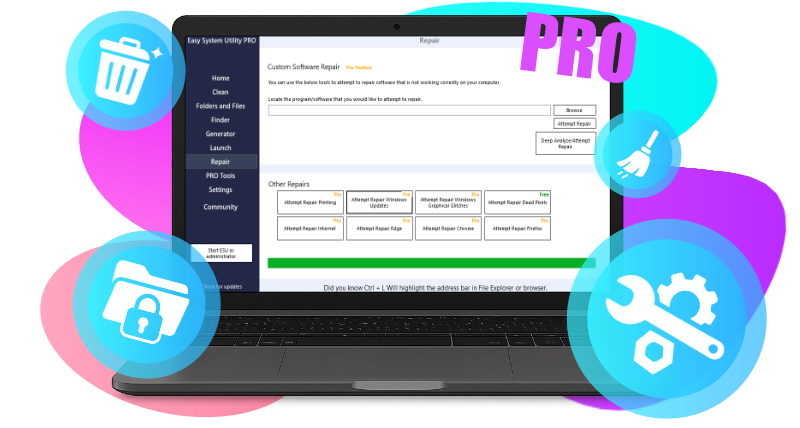
🛠️ Custom software repair & specialized Windows fixes
🧹 Bulk uninstaller
🌐 DNS Changer for safer, faster internet
♾️ Priority support
Unlock all features with PRO, or start for free and upgrade anytime.
Why go PRO?
Access advanced cleaning and PRO-only tools.

Deeper Cleaning

Bulk File Tools
Unlock, rename, organize, and watermark multiple files and folders at once. With Easy System Utility PRO, you can manage large batches in seconds.

Repair Kit

DNS & Security Tools

Bulk Uninstaller

Priority Support







Easy System Utility PRO FAQ
What’s the difference between the free and PRO versions?
PRO unlocks advanced features like deeper cleaning, bulk file tools, Windows repair toolkit, DNS changer, bulk uninstaller, and priority support. You also get automatic updates, and access to all new PRO features.
How many PCs can I use PRO on?
PRO lets you install and activate on unlimited personal PCs, so you don’t pay per device.
How do I upgrade from Free to PRO?
Just click See Plans and choose your preferred option. PRO features unlock instantly after purchase.
Do I need an internet connection?
You’ll need internet access to download, activate PRO, and receive updates. Most PRO features work offline once installed.
Which Windows versions are supported?
Easy System Utility runs on Windows 10 and 11 (64-bit). It requires the .NET Framework and an internet connection for activation and updates.
Requesting support or cancelling a plan?
For issues like payment problems, refunds, or cancellations (e.g. Stripe or PayPal guest payments), reach the support team at software@computersluggish.com. ⬅
What purchase options are available?
PRO is available as a one-time Lifetime purchase or an affordable Yearly subscription—choose the plan that suits your needs.
You can view our plans here.
Is there a trial or money-back guarantee?
Yes! We offer a 30-day money-back guarantee—if PRO isn’t for you, simply contact us for a full refund. You can view the full terms here.
What happens to my settings when I upgrade?
Your existing settings and usage data are preserved—PRO simply adds new tools and enhancements.
What payment options are available?
You can purchase PRO via Stripe or PayPal, using a credit or debit card. Payments are processed securely, and you’ll receive an activation key instantly.
What happens when a subscription ends?
When your subscription ends you will lose access to Pro features but you can still use the FREE version:
Yearly Plan: After one year, PRO features will auto-renew unless turned off.
Lifetime Plan: You continue enjoying PRO features and updates forever—no renewal needed.