
SEO crawler tools play a critical role in diagnosing technical issues that affect website performance, search engine visibility, and overall reliability. Without proper crawling and technical analysis, many problems remain undetected, silently reducing rankings, usability, and effectiveness.
A dedicated desktop SEO crawler allows you to analyse websites in the same way search engines do — identifying broken links, inefficient structure, indexing problems, and performance bottlenecks.
This guide explains how SEO crawler tools work, why they are essential, and how to download and use a free SEO crawler tool for Windows.
Why SEO crawler tools are essential for technical SEO analysis

Search engines such as Google rely on automated crawlers to analyse websites. These crawlers evaluate technical structure, content, and performance to determine how pages should rank.
An SEO crawler tool allows you to replicate this process locally, providing detailed insights into technical issues that may not be visible through normal browsing.
From analysing websites using crawler tools, some of the most common hidden problems include:
- broken internal links reducing crawl efficiency
- missing or duplicate page titles
- incorrect redirect chains
- orphaned pages that search engines cannot discover
- inefficient internal linking structure
- JavaScript rendering inefficiencies
- crawl budget waste caused by duplicate URLs
These issues can directly affect search visibility and performance.
Without proper crawling and technical analysis, diagnosing these problems is extremely difficult.
Benefits of using a desktop SEO crawler tool on Windows
Desktop-based crawler tools provide significant advantages compared to browser-based or cloud tools.
These include:
- faster crawling speeds using local system resources
- no artificial crawl limits imposed by web-based tools
- full control over crawl configuration
- improved privacy and security
- ability to analyse large websites efficiently
Desktop crawler tools also allow deeper technical analysis, making them essential for developers, SEO professionals, and website owners.
Introducing CrawlRhino SEO Crawler for Windows
For users looking for a free SEO crawler tool for Windows, CrawlRhino SEO Crawler provides a lightweight and efficient solution designed specifically for Windows 10 and Windows 11.
CrawlRhino is a desktop-based crawler built to analyse websites efficiently without the limitations often found in cloud-based tools.
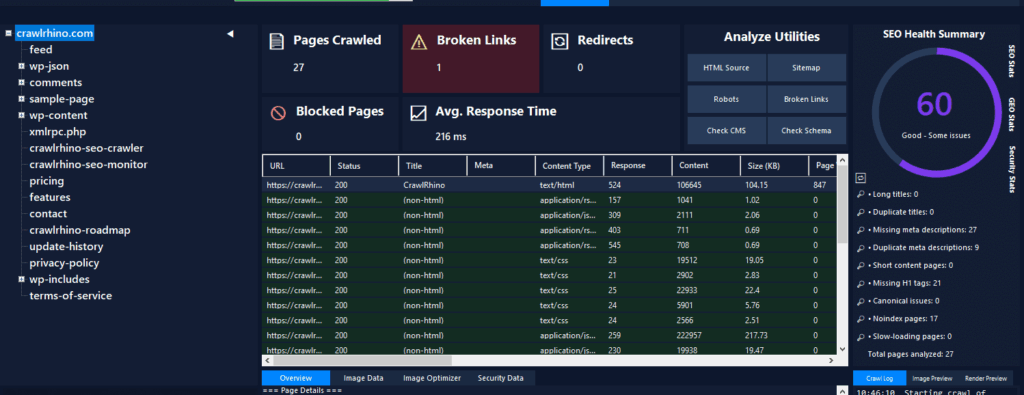
You can download the free SEO crawler tool for Windows here: https://crawlrhino.com/crawlrhino-seo-crawler/
Unlike many crawler tools that impose restrictions or require subscriptions, CrawlRhino allows users to analyse websites locally using their own system resources.
This makes it particularly useful for:
- analysing website structure
- diagnosing technical SEO problems
- identifying crawl errors
- auditing internal linking
Because it runs locally, it can analyse websites quickly and efficiently.
What CrawlRhino SEO Crawler can analyse
SEO crawler tools work by scanning websites and collecting technical information about each page.
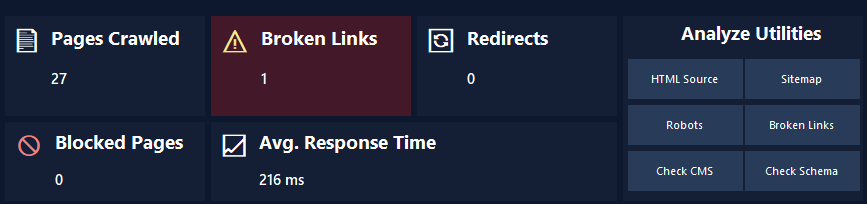
CrawlRhino provides detailed analysis including:
- HTTP response codes (200, 301, 404, 500, etc.)
- page titles and meta descriptions
- internal and external links
- redirect chains and loops
- crawl depth and structure
- broken links affecting usability and SEO
- duplicate content indicators
This data helps identify structural weaknesses that may be limiting search engine performance.
From technical audits, inefficient internal linking and broken links are among the most common problems affecting websites.
Crawler tools allow these issues to be detected quickly.
Why many SEO professionals use crawler tools regularly
Technical SEO problems often develop gradually over time.
Plugin updates, theme changes, and structural modifications can introduce inefficiencies without obvious visible symptoms.
Crawler tools allow regular monitoring of website structure to ensure optimal performance.
In many cases, crawler analysis reveals issues such as:
- pages unintentionally blocked from search engines
- broken navigation paths
- inefficient redirect chains
- excessive crawl depth preventing efficient indexing
Identifying and resolving these problems improves crawl efficiency and search visibility.
CrawlRhino vs Screaming Frog: key differences
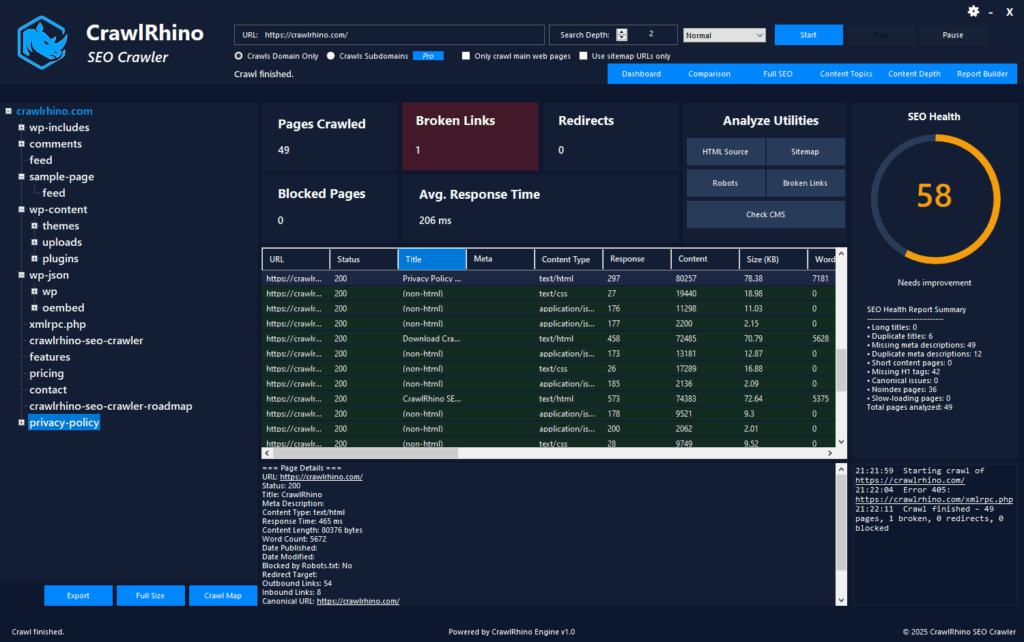
Screaming Frog is one of the most widely known SEO crawler tools, but it has limitations in its free version.
CrawlRhino also includes limitations at the time of writing this, but they are less restrictive. The free version limits crawling to a set number of URLs.
CrawlRhino provides a lightweight Windows-based alternative that allows users to analyse websites locally without relying on cloud processing.
Because CrawlRhino is designed specifically for Windows, it integrates efficiently with the Windows environment and provides fast crawl performance.
For many users looking for a free SEO crawler tool for Windows 10 or Windows 11, desktop-based crawlers provide the best balance of performance and flexibility.
How SEO crawler tools identify hidden technical problems
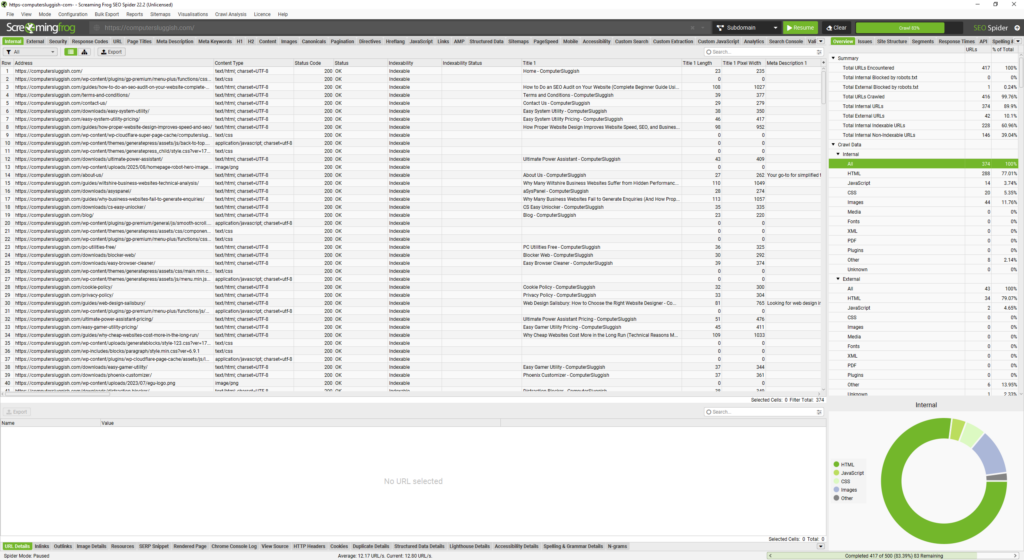
Crawler tools identify problems by analysing how websites respond to automated requests.
This includes detecting:
- broken URLs returning 404 errors
- inefficient redirects increasing load time
- missing metadata affecting search visibility
- inefficient internal link structures
- crawl inefficiencies affecting indexing
Many of these problems are not visible during normal browsing.
Crawler analysis provides detailed insight into technical structure and performance.
This is why crawler tools are essential for technical SEO.
How to download and use CrawlRhino SEO Crawler
You can download CrawlRhino SEO Crawler for Windows here:
Once installed, simply enter the website URL and begin crawling.
The crawler will analyse each page and provide detailed technical information.
This makes it easy to identify problems affecting performance, indexing, and reliability.
Why technical SEO analysis improves website performance
Technical SEO plays a critical role in how search engines understand and rank websites.
Efficient websites are easier to crawl, analyse, and index correctly.
Crawler tools help ensure technical implementation is efficient and free from structural issues.
Websites with efficient technical structure typically benefit from:
- improved search visibility
- faster crawl and indexing
- better user experience
- improved long-term reliability
Technical optimisation provides a stronger foundation for SEO success.
Final thoughts
Using a free SEO crawler tool for Windows provides essential insight into how websites function from a technical perspective. Many structural and technical problems affecting search visibility and performance remain undetected without proper crawling and analysis.
Desktop-based crawler tools such as CrawlRhino SEO Crawler allow websites to be analysed efficiently using local system resources, providing detailed insights into technical structure, crawl efficiency, and performance.
Regular technical analysis helps ensure websites remain efficient, stable, and optimised for search engines, improving long-term performance and reliability.