
How to Find and Fix Broken Links on Your Website
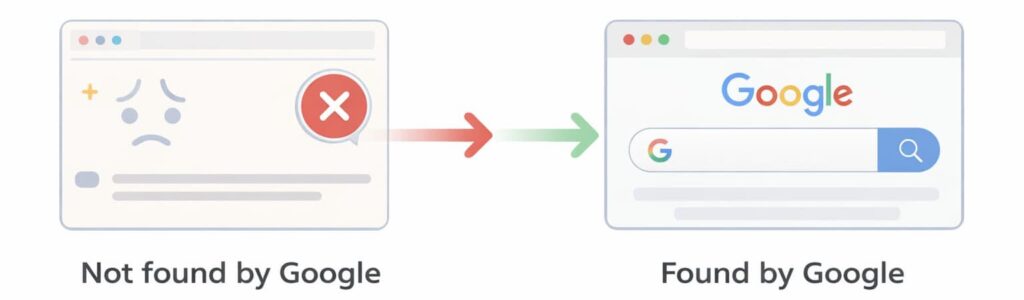
Broken links are one of the most common technical SEO problems. They can prevent Google from crawling your website properly and create a bad experience for visitors.
If your website has broken links, search engines may struggle to crawl your pages, and users may land on error pages instead of the content they expect.
This guide explains how to find broken links on your website, why they matter, and how to fix them properly.
Everything is explained in simple terms.
What Is a Broken Link
A broken link is a link that leads to a page that no longer exists or cannot be accessed.
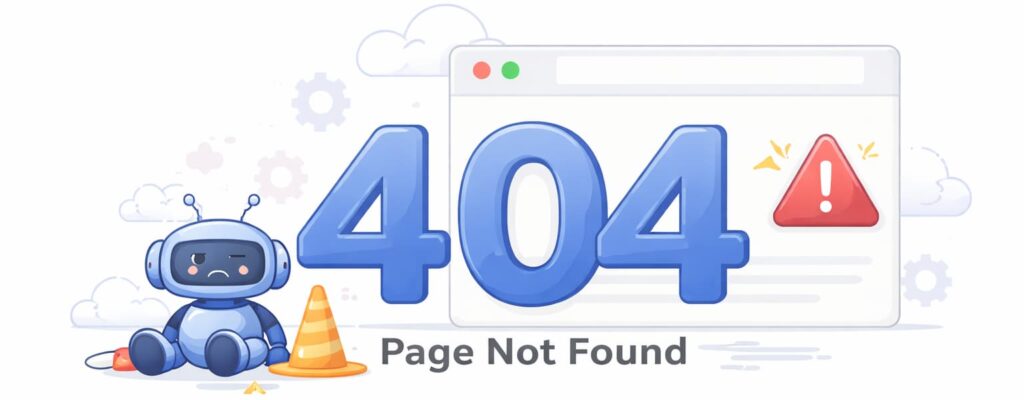
Instead of loading normally, the page shows an error such as:
404 not found
Page not found
Server error
This means the link is pointing to something that is missing or incorrect.
Broken links can exist on any website, including new websites.
Why Broken Links Are Bad for SEO
Broken links create problems for both users and search engines.
When Google crawls your website and finds broken links, it may stop crawling those pages or reduce how often it crawls your website.
This can affect your website’s visibility in search results.
Broken links can cause:
Poor crawlability
Indexing problems
Lower search rankings
Poor user experience
If users click a link and see a 404 error, they may leave your website immediately.
Search engines want to show websites that work properly.
Fixing broken links improves both SEO and user experience.
Common Causes of Broken Links
Broken links happen for many reasons.
The most common causes include:
Deleted pages
Incorrect URLs
Changed page URLs
Website redesigns
Moving to a new domain
Typos in links
For example, if a page was deleted but links still point to it, those links will become broken.
This creates crawl errors.
How to Check Broken Links on Your Website
The easiest way to find broken links is using a website crawler.
A crawler scans your website and checks every link.
It shows which links are working and which ones are broken.
Some popular tools include:
CrawlRhino SEO Crawler
Ahrefs Site Audit
Semrush Site Audit
Screaming Frog SEO Spider
Google Search Console
These tools help identify crawl errors and broken pages.
Google Search Console shows broken pages under indexing and crawl reports.
Ahrefs and Semrush provide detailed site audits showing broken links and crawl problems.
CrawlRhino SEO Crawler scans your website locally and shows broken links clearly, making it easy to identify crawl issues.
How to Find Broken Links Using CrawlRhino SEO Crawler
You simply enter your website URL and start a scan.
The crawler checks all internal links.
It shows:
Broken links
404 errors
Missing pages
Redirect problems
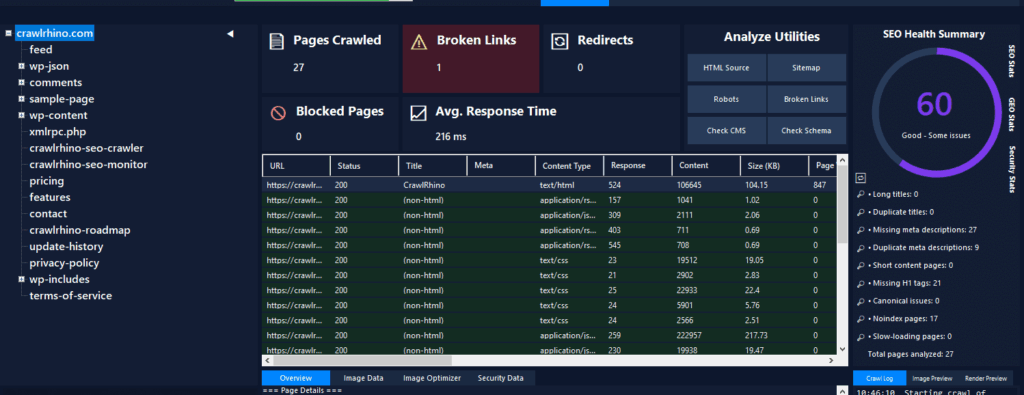
This helps you find crawl errors quickly.
You can then fix them easily.
You can download CrawlRhino SEO Crawler here:
https://crawlrhino.com/crawlrhino-seo-crawler/
How to Find Broken Links Using Google Search Console
Google Search Console is a free tool from Google.
It shows crawl errors and indexing problems.
You can find broken pages in the indexing section.
This helps identify pages Google cannot access.
However, it may not show all broken links on your website.
A crawler provides a more complete overview.
How to Find Broken Links Using Ahrefs or Semrush
Ahrefs Site Audit scans your website and shows broken links, crawl errors, and crawl blocks.
Semrush Site Audit also detects broken links and technical SEO problems.
These tools are useful for larger websites.
They provide detailed reports.
However, they require a subscription.
How to Fix Broken Links
Once you find broken links, fixing them is usually simple.
The main methods include:
Update the link to the correct URL
Remove the broken link
Restore the missing page
Redirect the broken link
Redirecting is one of the best solutions.
A redirect sends users and search engines to the correct page.
This prevents crawl errors.
Example of Fixing Broken Links
If this link is broken:
yourwebsite.com/services-old
You can redirect it to:
yourwebsite.com/services
This ensures users reach the correct page.
Search engines can also crawl it properly.
Internal vs External Broken Links
There are two types of broken links.
Internal broken links are links between your own pages.
External broken links point to other websites.
Internal broken links are more important to fix.
They affect crawlability and indexing.
External broken links affect user experience.
Both should be fixed.
How Broken Links Affect Google Crawling
Google uses links to discover pages.
If links are broken, Google cannot crawl those pages.
This reduces crawl efficiency.
It may prevent pages from being indexed.
Fixing broken links improves crawlability.
This helps search engines understand your website better.
How to Prevent Broken Links in the Future
Broken links are common, but you can reduce them.
Check your website regularly.
Use tools to scan for crawl errors.
Update links when pages move.
Fix crawl errors quickly.
Regular scanning helps maintain good website health.
How CrawlRhino SEO Crawler Helps Find Broken Links
CrawlRhino SEO Crawler scans your entire website and identifies broken links clearly.
It helps you find crawl errors, missing pages, and redirect issues.
This helps improve crawlability and indexing.
You can quickly fix broken links and improve your website’s SEO.
You can download CrawlRhino SEO Crawler here:
https://crawlrhino.com/crawlrhino-seo-crawler/
Final Thoughts
Broken links are one of the most common technical SEO problems.
They prevent search engines from crawling your website properly and create a poor user experience.
Finding and fixing broken links improves crawlability, indexing, and search rankings.
Tools such as CrawlRhino SEO Crawler, Google Search Console, Ahrefs, and Semrush help identify broken links and crawl errors.
Fixing broken links ensures your website can be crawled properly and improves your visibility on Google.