
How to Fix “Discovered – Currently Not Indexed” in Google Search Console
If you’ve opened Google Search Console and seen the message “Discovered – currently not indexed”, you’re not alone. This is one of the most common indexing issues website owners face, especially on newer websites or recently updated pages.
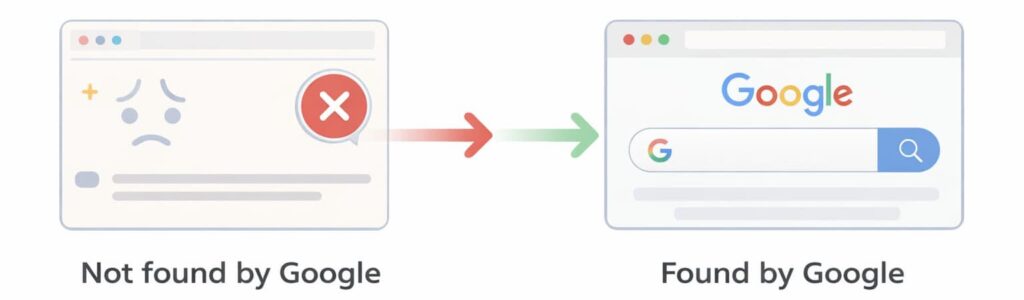
This message means Google knows your page exists, but it has not indexed it yet. In simple terms, Google has found your page, but it has not added it to search results.
This can be frustrating because your page is live, but it does not appear on Google when people search for it.
The good news is this problem is usually fixable once you understand why it happens and what Google is waiting for.
This guide explains exactly what discovered currently not indexed means, why it happens, and how to fix it step by step.
What Does “Discovered – Currently Not Indexed” Mean
This message appears in Google Search Console when Google has found your page but has not crawled or indexed it yet.
Google discovers pages through links, sitemaps, and previously crawled pages. Once discovered, Google schedules the page to be crawled. However, Google does not always crawl pages immediately.
Sometimes Google delays crawling pages because of crawl limits, website quality signals, or technical issues.
This means your page exists and Google knows about it, but Google has not processed it fully yet.
Until Google crawls and indexes the page, it will not appear in search results.
This is different from other indexing problems where pages are blocked or have errors.
Why Pages Show as Discovered – Currently Not Indexed
There are several common reasons why Google discovers pages but does not index them.
One of the most common reasons is crawl priority. Google does not crawl every page instantly. It prioritises pages based on website quality, authority, and crawl efficiency.
If your website is new or has low authority, Google may delay crawling your pages.
Another common reason is crawl budget. Google limits how many pages it crawls on a website. If your website has many pages or crawl problems, Google may delay crawling some pages.
Technical issues such as broken links, crawl errors, slow loading speeds, or poor internal linking can also prevent Google from crawling pages quickly.
Pages with very little content may also be delayed because Google may not consider them important enough to crawl immediately.
How to Check Discovered – Currently Not Indexed Pages
The easiest way to find these pages is using Google Search Console.
Open Google Search Console and go to the Pages or Indexing section. Look for the status “Discovered – currently not indexed.”
This will show which pages are affected.
You can also inspect individual URLs using the URL inspection tool. This shows whether the page has been crawled and indexed.
Tools like Ahrefs Site Audit, Semrush Site Audit and CrawlRhino SEO Crawler can also help identify crawlability issues and show whether pages are accessible to search engines.
These tools scan your website and show crawl problems, broken links, and other technical issues that may delay indexing.
Step 1: Make Sure Google Can Crawl Your Page
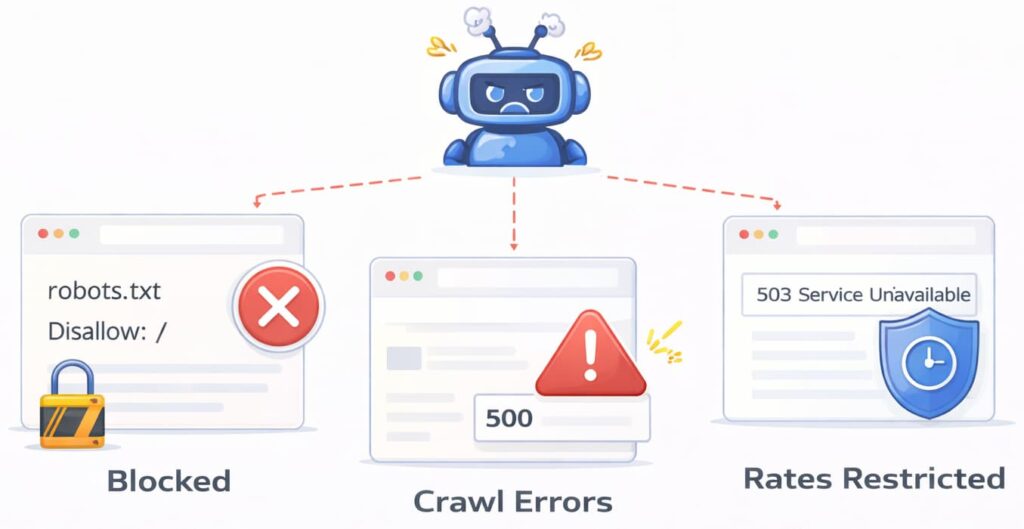
The first step is making sure Google can access your page properly.
If Google cannot crawl your page, it cannot index it.
Check your robots.txt file to ensure it is not blocking the page. Also check that your page does not have a noindex tag.
You can use Google Search Console URL inspection tool to test whether Google can crawl the page.
Website crawler tools such as CrawlRhino SEO Crawler, Ahrefs, and Semrush can also scan your website and confirm that pages are accessible.
These tools help identify crawl blocks and technical issues that may prevent indexing.
Step 2: Improve Internal Linking
Google discovers and crawls pages through links. If your page has no internal links pointing to it, Google may consider it low priority.
Internal links help search engines understand your website structure and discover important pages faster.
Make sure your page is linked from important pages such as your homepage, blog posts, or service pages.
This improves crawlability and helps Google prioritise the page.
Website crawlers such as CrawlRhino SEO Crawler, Ahrefs, and Semrush show internal linking structure and help identify orphan pages that have no internal links.
Fixing internal linking improves indexing speed.
Step 3: Submit Your Page to Google Search Console
Google Search Console allows you to request indexing manually.
Use the URL inspection tool and click Request Indexing.
This tells Google to prioritise crawling the page.
This does not guarantee immediate indexing, but it helps speed up the process.
This is especially useful for new pages.
Step 4: Make Sure Your Page Has Useful Content
Pages with very little or low-quality content may be delayed or ignored by Google.
Google prefers pages that provide useful information.
Make sure your page clearly explains its topic and provides helpful content.
Thin pages with very little information may not be indexed quickly.
Improving content quality increases indexing chances.
Step 5: Fix Crawl Errors and Technical Problems
Technical issues can delay indexing.
Common technical problems include broken links, slow page speed, redirect issues, and crawl errors.
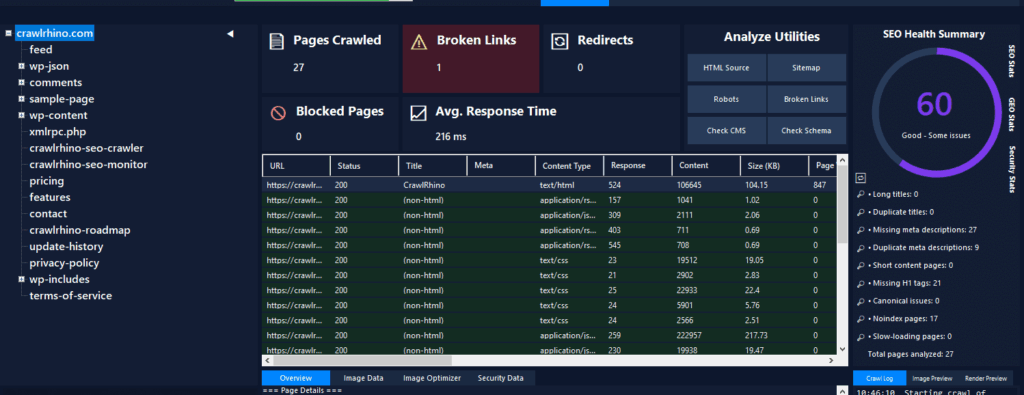
Website crawler tools such as CrawlRhino SEO Crawler, Ahrefs, and Semrush help identify crawl problems quickly.
These tools scan your website and show crawl errors that may prevent indexing.
Fixing technical problems improves crawlability and indexing.
You can download CrawlRhino SEO Crawler here:
https://crawlrhino.com/crawlrhino-seo-crawler/
Step 6: Submit an XML Sitemap
An XML sitemap helps Google discover your pages faster.
Make sure your sitemap includes your important pages.
Submit your sitemap in Google Search Console.
This helps Google discover and crawl pages more efficiently.
Most websites automatically generate sitemaps, but it is important to verify they are submitted correctly.
Step 7: Be Patient
Sometimes Google simply needs time.
If your website is new, Google may take days or weeks to crawl and index pages.
Improving crawlability, internal linking, and content quality helps speed up indexing.
However, indexing delays are normal.
Google prioritises websites based on quality and crawl efficiency.
Tools That Help Fix Discovered – Currently Not Indexed Issues
Several tools can help identify and fix indexing problems.
Google Search Console is essential for monitoring indexing status.
Ahrefs Site Audit provides detailed crawl reports and indexing insights.
Semrush Site Audit helps identify crawl errors and technical SEO issues.
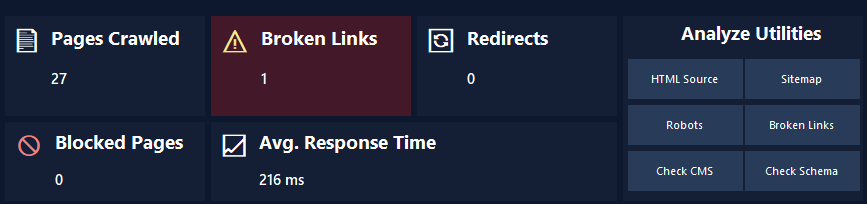
CrawlRhino SEO Crawler scans your website and helps identify crawl errors, broken links, and technical problems that may affect indexing.
You can download CrawlRhino SEO Crawler here:
https://crawlrhino.com/crawlrhino-seo-crawler/
Using these tools together provides a complete overview of your website’s crawl health.
Final Thoughts
The discovered currently not indexed message simply means Google knows about your page but has not crawled or indexed it yet.
This is common, especially on new websites or new pages.
Improving internal linking, fixing crawl problems, submitting sitemaps, and improving content quality helps Google crawl and index your pages faster.
Using tools such as Google Search Console, Ahrefs, Semrush, and CrawlRhino SEO Crawler helps identify problems and improve crawlability.
Once Google crawls your page successfully, it can index it and show it in search results.