
SEO crawler tools: Free Screaming Frog alternative for Windows
SEO crawler tools are essential for analysing website structure, diagnosing technical issues, and improving search engine performance. While Screaming Frog SEO Spider is one of the most widely known crawler tools, its free version includes limitations that restrict its usefulness for many users.
For Windows users looking for a free Screaming Frog alternative, desktop crawler tools are available that provide efficient website analysis without restrictive workflows or ongoing subscription requirements.
This guide explains how Screaming Frog works, its limitations, and a powerful desktop crawler alternative designed specifically for Windows systems.
Why SEO crawler tools are important

Search engines use automated crawlers to analyse website structure, content, and technical implementation. SEO crawler tools allow developers and website owners to replicate this process locally, providing insight into technical problems that affect rankings and performance.
Crawler tools help identify:
- broken internal links
- redirect chains and loops
- missing page titles and meta descriptions
- duplicate content issues
- inefficient internal linking
- crawl depth problems
Without crawler analysis, many technical issues can remain undetected.
From analysing real-world websites, technical inefficiencies are extremely common — particularly on websites built using heavy themes or inefficient plugins.
Limitations of the Screaming Frog free version
Screaming Frog SEO Spider is a powerful crawler tool, but its free version includes several restrictions.
These limitations include:
- restricted number of URLs per crawl
- limited advanced analysis features
- reduced functionality compared to the paid version
Free versions of SEO crawler tools typically include some limitations, as advanced crawling and analysis features require significant development and system resources.
For larger websites or regular technical audits, these restrictions can make the free version insufficient, which is why many users look for alternative crawler tools suited to their workflow.
Best free Screaming Frog alternative for Windows: CrawlRhino SEO Crawler
For users looking for a free Screaming Frog alternative for Windows, CrawlRhino SEO Crawler provides a lightweight desktop crawler built specifically for Windows environments.
Like most free SEO tools, CrawlRhino includes feature tiers designed to balance performance and advanced functionality. However, it focuses on providing efficient core crawling and technical analysis capabilities without relying on cloud processing.
You can download it here: https://crawlrhino.com/crawlrhino-seo-crawler/
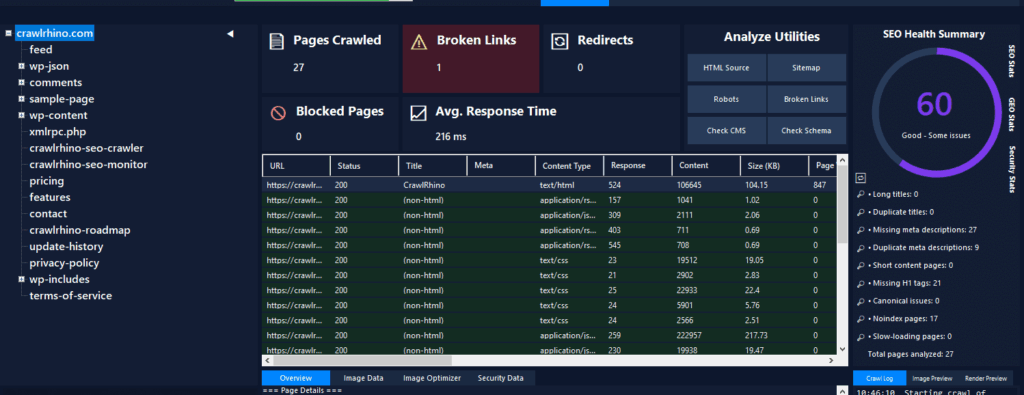
Because CrawlRhino runs locally on Windows, it delivers fast crawling performance using local system resources rather than external servers.
What CrawlRhino SEO Crawler can analyse
Crawler tools analyse website structure by scanning pages and collecting technical data.
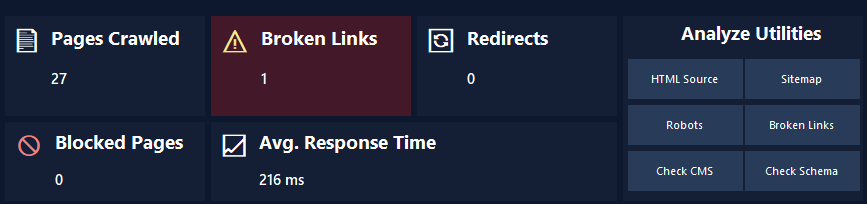
CrawlRhino provides analysis including:
- HTTP response codes (200, 301, 404, 500)
- page titles and meta descriptions
- internal and external links
- redirect chains and loops
- crawl depth and site structure
- broken links affecting usability and SEO
These insights help identify technical problems affecting performance and search visibility.
Crawler analysis is one of the most effective ways to diagnose structural SEO issues efficiently.
Advantages of using CrawlRhino as a Screaming Frog alternative
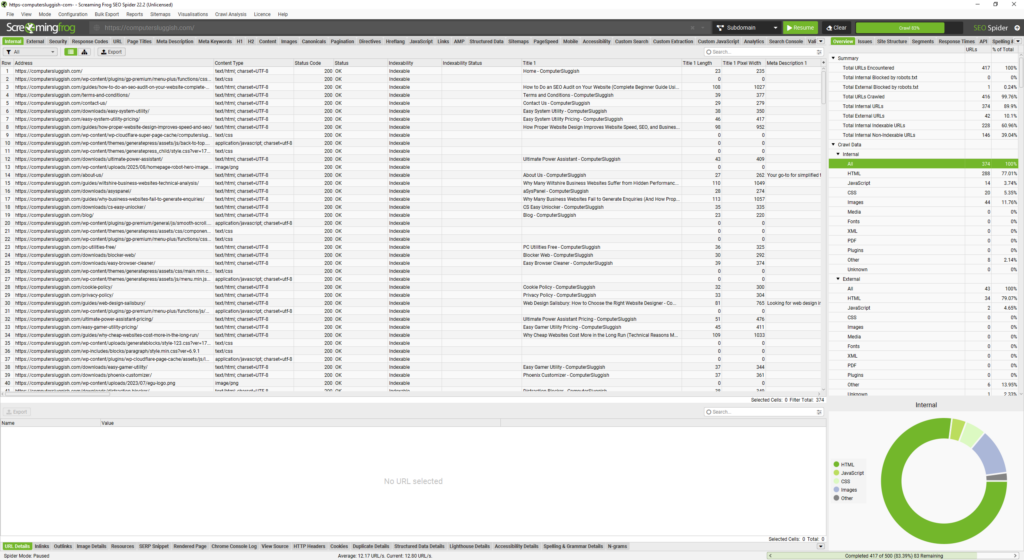
CrawlRhino provides several advantages for Windows users looking for a desktop crawler tool:
- desktop-based crawling using local system resources
- optimised performance for Windows 10 and Windows 11
- no reliance on cloud processing
- lightweight and fast execution
- efficient technical website structure analysis
Desktop crawler tools provide greater control and efficiency compared to browser-based alternatives.
For Windows-focused workflows, native desktop tools often provide the most practical solution.
Desktop crawler tools vs online crawler tools
Online crawler tools often introduce limitations such as:
- crawl limits
- slower analysis speeds
- dependency on external servers
- reduced technical visibility
Desktop crawler tools provide greater flexibility because analysis is performed locally using available system resources.
This makes desktop solutions particularly useful for developers, agencies, and technical SEO analysis.
CrawlRhino vs Screaming Frog (quick comparison)
| Feature | CrawlRhino | Screaming Frog Free |
|---|---|---|
| Desktop application | ✅ | ✅ |
| Windows optimisation | ✅ | ✅ |
| Local crawling | ✅ | ✅ |
| URL crawl limits | Present in free tiers | Present in free tier |
| Advanced features | Expanded via Pro features | Expanded via paid licence |
| Cloud dependency | No | No |
Both tools provide strong desktop crawling capabilities, with differences primarily relating to workflow preferences and feature tiers.
How crawler tools diagnose real-world website problems
Crawler tools reveal technical issues that are often invisible during normal browsing.
Common problems include:
- broken links reducing crawl efficiency
- redirect chains increasing load times
- inefficient internal linking structures
- missing metadata affecting search visibility
- crawl inefficiencies impacting indexing
Across many websites, structural inefficiencies are extremely common, making crawler analysis an essential part of technical SEO.
How to download and use CrawlRhino SEO Crawler
You can download CrawlRhino SEO Crawler for Windows here: https://crawlrhino.com/crawlrhino-seo-crawler/
After installation:
- Enter the website URL
- Start the crawl
- Review technical results and identify issues
You can also follow this tutorial:
Why using a free Screaming Frog alternative improves SEO analysis
Crawler tools provide essential insight into how search engines analyse websites.
You can download Screaming Frog here: https://www.screamingfrog.co.uk/seo-spider/
Technical efficiency plays a critical role in:
- indexing
- performance
- usability
- search visibility
Regular technical analysis helps maintain website health and long-term SEO performance.
Choosing the right crawler tool

Different crawler tools suit different workflows. Large enterprise audits may require advanced paid features, while many website owners benefit from lightweight desktop crawlers focused on core technical analysis.
Choosing the right tool depends on website size, workflow requirements, and analysis depth.
Final thoughts
While Screaming Frog remains a widely used SEO crawler, its free version — like many desktop SEO tools — includes feature and usage limits designed to balance performance and advanced functionality.
For many users, alternative desktop crawler tools can provide a more practical workflow depending on their operating system, preferred interface, and analysis requirements.
Free desktop crawler tools for Windows allow websites to be analysed locally without relying on cloud processing or ongoing subscriptions for core crawling functionality.
Using a reliable crawler tool enables websites to be analysed efficiently, helping identify technical problems affecting performance, indexing, and search visibility.
Technical analysis remains a foundational part of successful SEO.
Desktop crawler tools designed specifically for Windows environments can provide a streamlined and efficient solution for everyday technical SEO analysis.