
Screaming Frog SEO Spider Free Alternative
Technical SEO requires understanding how search engines crawl and interpret websites. Tools such as Screaming Frog SEO Spider have become popular because they allow website owners and developers to analyse site structure in detail.
However, many users begin searching for a Screaming Frog SEO Spider free alternative when they encounter limitations in the free version or want a crawler better suited to their workflow.
This guide explains what Screaming Frog SEO Spider does, why users look for alternatives, and which free desktop crawler tools are available for Windows users.
What Screaming Frog SEO Spider does
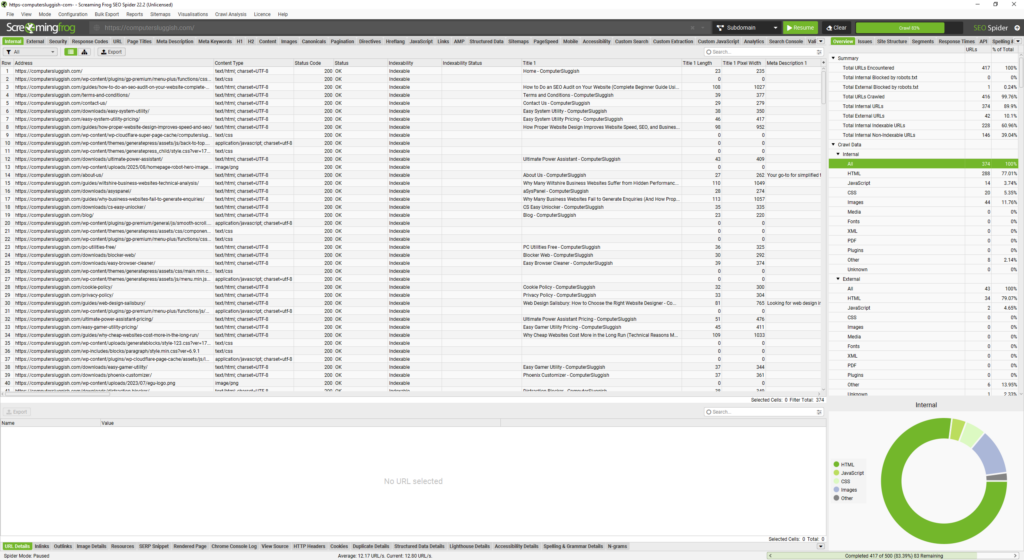
Screaming Frog SEO Spider is a desktop-based website crawler designed to simulate how search engines discover and analyse web pages.
The software scans a website link by link, collecting technical SEO data that helps identify problems affecting visibility and performance.
Typical crawler analysis includes:
- HTTP status codes
- page titles and metadata
- redirects and redirect chains
- internal linking structure
- duplicate content signals
- crawl depth analysis
This type of analysis helps uncover issues that are often invisible during normal browsing.
Why users look for a free Screaming Frog alternative
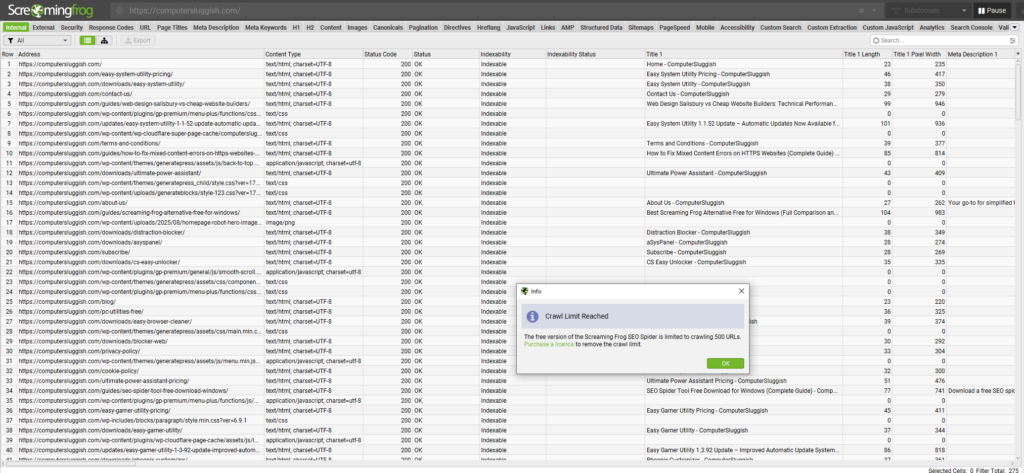
While Screaming Frog is widely used, many users explore alternatives after using the free version.
Common reasons include:
- crawl limits on larger websites
- advanced features locked behind a licence
- preference for simpler workflows
- desire for lightweight desktop tools
- need for Windows-focused optimisation
Free versions of SEO tools often include feature tiers, so users frequently compare multiple crawlers to find one that fits their specific needs.
Limitations of the Screaming Frog free version
While Screaming Frog SEO Spider is a powerful crawler, many users only discover the practical limitations of the free version after installing and exploring the software.
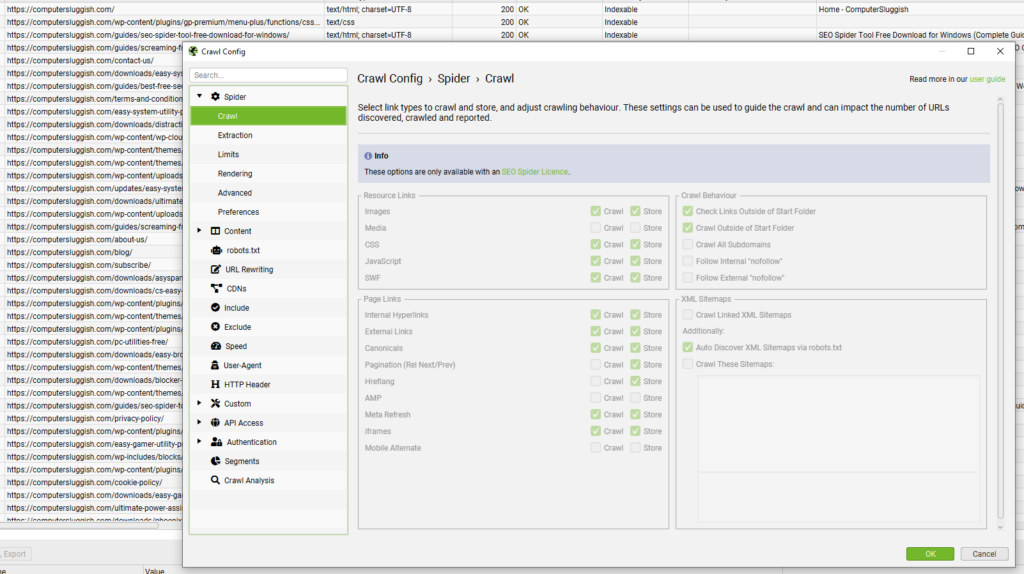
The free edition allows basic crawling, but several advanced configuration options and workflow controls are restricted to the licensed version. For example, crawl configuration settings such as request speed controls, advanced extraction options, and certain analysis features are visible within the interface but cannot be adjusted without activating a licence.
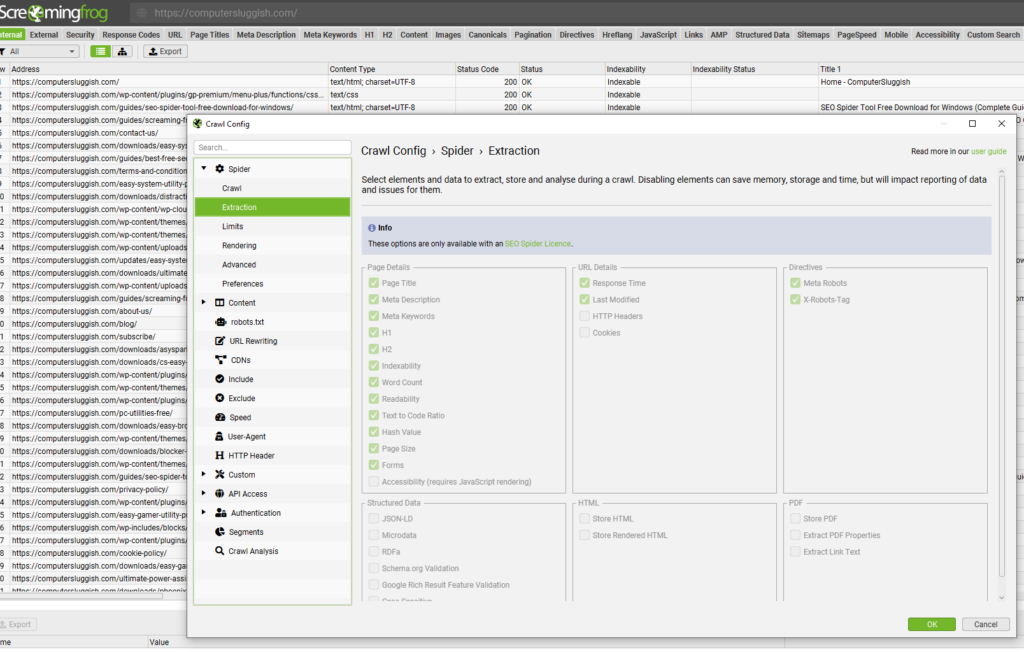
During testing, many configuration panels display locked settings or reduced functionality, meaning users can view available capabilities but cannot fully customise how the crawler behaves. This can affect workflows that require deeper analysis, customised extraction, or performance tuning.
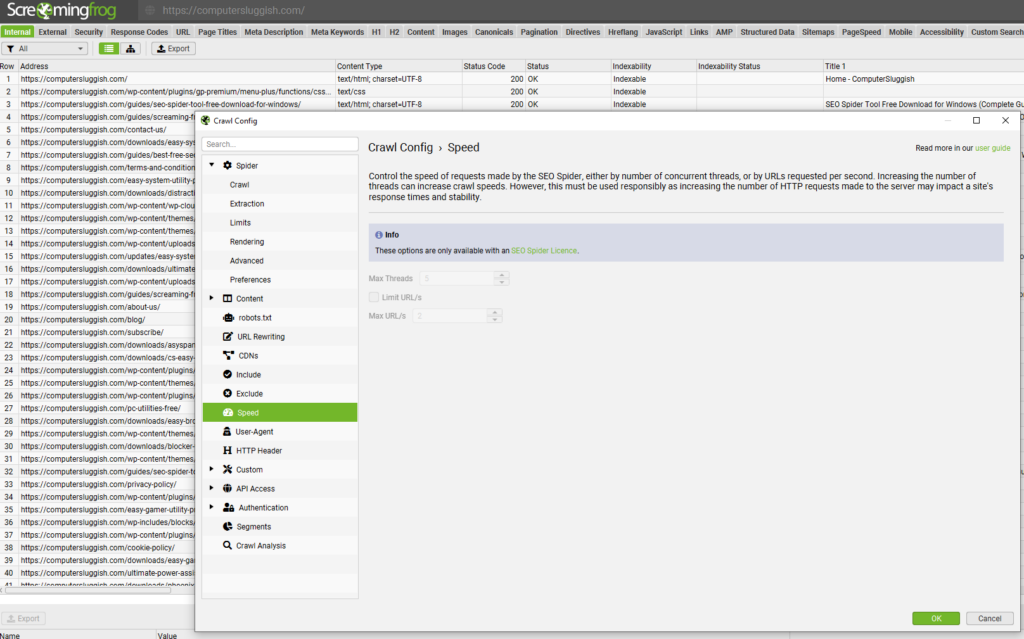
These restrictions are common among professional SEO tools and help separate introductory usage from advanced technical auditing features. However, they are often one of the main reasons users begin looking for alternative desktop crawlers that provide broader functionality within free tiers.
What to look for in a Screaming Frog SEO Spider alternative
Not all crawler tools work the same way. When choosing an alternative, several factors matter more than feature lists alone.
A good desktop crawler should provide:
- reliable website crawling performance
- clear technical data presentation
- local processing for faster analysis
- efficient resource usage
- compatibility with modern Windows systems
For many users, usability and speed are just as important as advanced features.
Free desktop SEO crawler alternative: CrawlRhino SEO Crawler
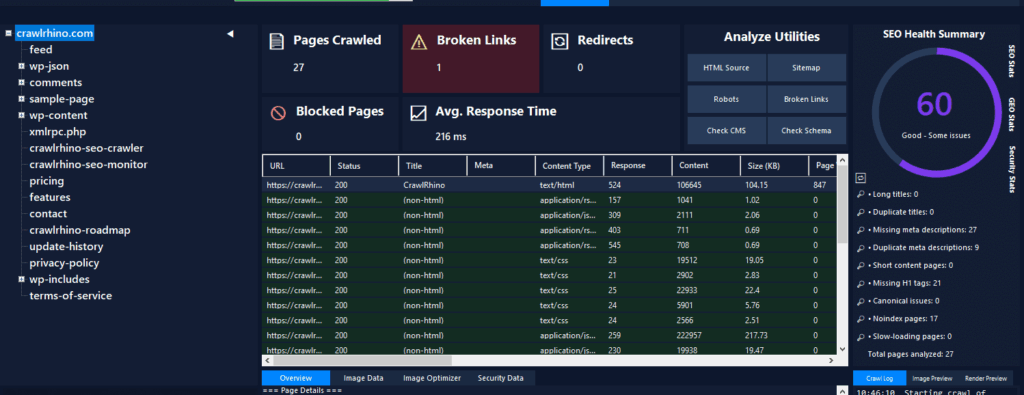
One option for Windows users is CrawlRhino SEO Crawler, a desktop SEO crawler designed to perform technical website analysis locally.
You can download it here: https://crawlrhino.com/crawlrhino-seo-crawler/
CrawlRhino focuses on delivering core crawling functionality through a lightweight Windows application, allowing websites to be analysed without relying on cloud services. A free version is available for everyday technical analysis, with additional features unlocked through an optional paid version as user requirements grow.
Running locally allows the crawler to use system resources directly, helping provide fast analysis results depending on hardware capability.
Features available in CrawlRhino

CrawlRhino scans websites and collects technical SEO data including:
- response status codes (200, 301, 404, 500)
- page titles and meta descriptions
- internal and external links
- redirect detection
- crawl depth insights
- broken link identification
These features support technical audits and help diagnose structural SEO issues efficiently.
Desktop crawlers vs cloud-based SEO tools
Many modern SEO tools operate in the cloud, but desktop crawlers still provide important advantages.
Desktop crawler benefits include:
- local data processing
- no dependency on external servers
- faster analysis for many workflows
- greater control over crawl execution
Cloud tools can be convenient, but desktop crawlers remain popular among developers and technical SEO users who prefer direct control.
When a free crawler tool is enough
Not every website requires enterprise-level SEO software.
Free crawler tools are often sufficient for:
- small to medium websites
- routine technical checks
- development testing
- internal link audits
- diagnosing crawl errors
For many users, regular technical monitoring using a lightweight crawler provides significant SEO benefits.
How to get started with a desktop SEO crawler
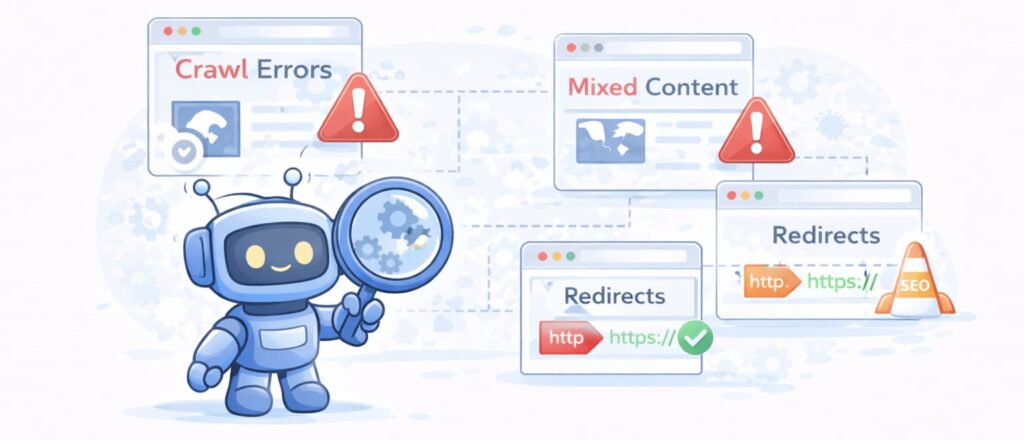
Using a crawler tool is straightforward:
- Install the crawler software
- Enter the website homepage URL
- Start the crawl process
- Review technical data and identify issues
Regular crawls help maintain technical health and prevent issues from accumulating over time.
Choosing the right SEO crawler tool

Different SEO tools suit different workflows. Some users prefer feature-heavy enterprise platforms, while others benefit from lightweight desktop applications focused on essential analysis.
When comparing tools, consider:
- website size
- technical requirements
- system performance
- analysis frequency
The best crawler is ultimately the one that fits your workflow consistently.
Final thoughts
Screaming Frog SEO Spider remains one of the most widely recognised SEO crawler tools and continues to be used by developers, agencies, and website owners worldwide. However, it is not the only option available, and different crawler tools suit different workflows and technical requirements.
Free desktop crawler tools allow websites to be analysed locally, helping users perform technical audits without relying entirely on cloud-based platforms or ongoing subscriptions for core functionality.
Understanding how search engines crawl websites is a key part of technical SEO. Regular crawling helps identify structural problems early, improving website performance, usability, and search visibility over time.
If you want to try an SEO spider tool yourself, you can explore both options below:
- Screaming Frog SEO Spider: https://www.screamingfrog.co.uk/seo-spider/
- CrawlRhino SEO Crawler (Windows): https://crawlrhino.com/crawlrhino-seo-crawler/
Choosing the right crawler depends on your workflow, website size, and preferred analysis approach, but consistent technical analysis is one of the most effective ways to maintain long-term SEO health.