
SEO Analyzer Tool for Windows
If you want to improve your website’s search rankings, one of the first things you need is a reliable SEO analyzer. An SEO analyzer scans your website the same way search engines do, helping you identify technical issues, optimisation opportunities, and structural problems that may be holding your site back.
Whether you run a business website, blog, or client projects, analysing your site regularly is essential for maintaining strong SEO performance.
In this guide, we’ll explain what an SEO analyzer does, how desktop and cloud tools compare, and how tools like CrawlRhino SEO Crawler provide a powerful way to analyse websites directly from a Windows PC.
What Is an SEO Analyzer?
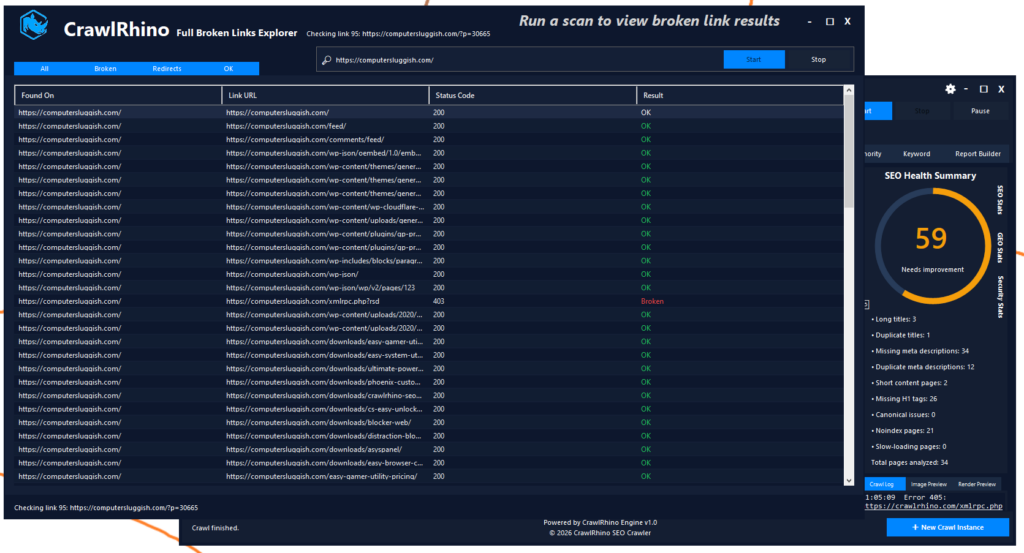
An SEO analyzer is a tool that audits your website and collects technical and on-page SEO data automatically.
Instead of manually checking every page, the analyzer crawls your website and reports issues such as:
- Missing or duplicate page titles
- Meta description problems
- Broken links and redirects
- Incorrect status codes (404, 301, 500)
- Heading structure issues
- Internal linking problems
- Indexing and crawlability errors
Search engines rely heavily on technical signals, so identifying these issues early can significantly improve rankings.
Why Technical SEO Analysis Matters
Many websites struggle to rank not because of poor content, but because of technical problems that prevent search engines from understanding the site properly.
Common hidden issues include:
- Pages buried too deep in site structure
- Duplicate content competing internally
- Broken internal links
- Redirect chains slowing crawling
- Missing metadata across large sections of a site
An SEO analyzer helps uncover these problems quickly and at scale.
Desktop vs Cloud SEO Analyzers
SEO analysis tools generally fall into two categories: cloud platforms and desktop crawlers.
Cloud tools like Semrush provide broad marketing insights including keyword tracking, backlink data, and competitor analysis. They are excellent for overall SEO strategy but typically rely on remote crawls and predefined reports.
Desktop SEO analyzers, on the other hand, run directly on your computer and focus heavily on technical auditing. Because the crawl runs locally, you gain more direct control over how websites are analysed.
For many technical SEO tasks, desktop crawlers remain one of the fastest ways to diagnose site issues.
CrawlRhino SEO Crawler: A Modern SEO Analyzer for Windows
CrawlRhino SEO Crawler is a Windows-based SEO analyzer designed to help website owners and SEO professionals perform detailed technical audits in a straightforward workflow.

You can learn more here:
https://crawlrhino.com/crawlrhino-seo-crawler/
The tool crawls websites page by page, collecting essential SEO data and presenting it in a clear format that helps identify problems quickly.
Unlike overly complex enterprise tools, CrawlRhino aims to balance usability with powerful crawling capabilities.
What CrawlRhino SEO Crawler Analyses
CrawlRhino functions as a full website SEO analyzer, checking important elements such as:
- Page titles and metadata
- Heading structure (H1–H6)
- Status codes and crawl errors
- Internal link structure
- Redirect behaviour
- Duplicate content signals
- Technical SEO health indicators
Because the crawler runs locally on Windows, audits can be performed quickly without waiting for remote processing.
CrawlRhino as a Screaming Frog Alternative
Screaming Frog SEO Spider is one of the most well-known desktop crawlers in the SEO industry and has long been a standard tool for technical audits.
However, many users look for a Screaming Frog alternative that offers a more modern workflow or a different approach to analysing website data.
CrawlRhino SEO Crawler provides an alternative option for users who want:
- A clean and accessible interface
- Local website crawling on Windows
- Strong technical analysis capabilities
- A crawler focused on practical SEO insights
For users exploring desktop SEO analyzers beyond traditional tools, CrawlRhino offers another approach while still delivering the core functionality expected from a professional crawler.
How CrawlRhino Compares to Other SEO Analyzers
CrawlRhino vs Screaming Frog
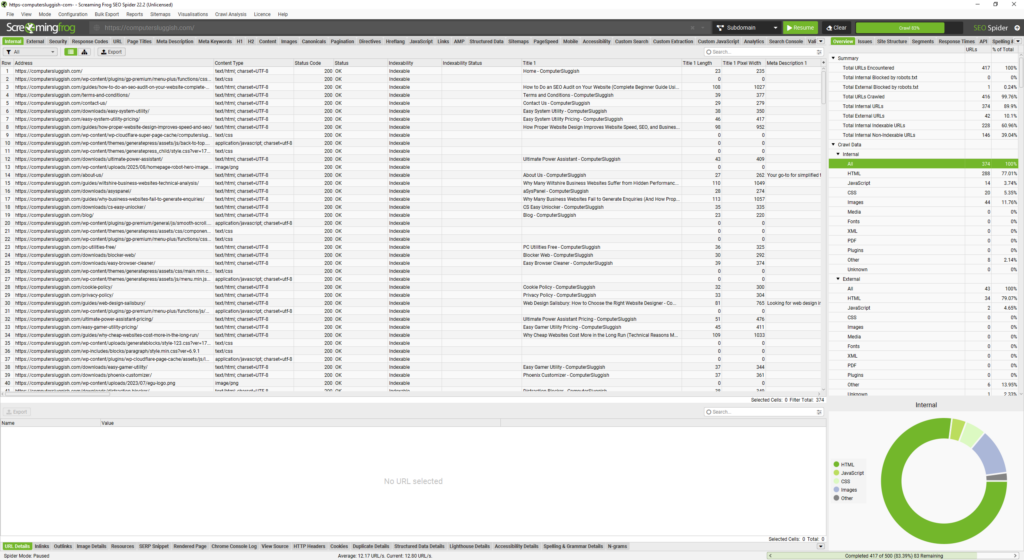
Screaming Frog remains a powerful crawler, particularly for advanced users. CrawlRhino positions itself as an alternative focused on usability and clarity while still supporting detailed site analysis.
CrawlRhino vs Semrush
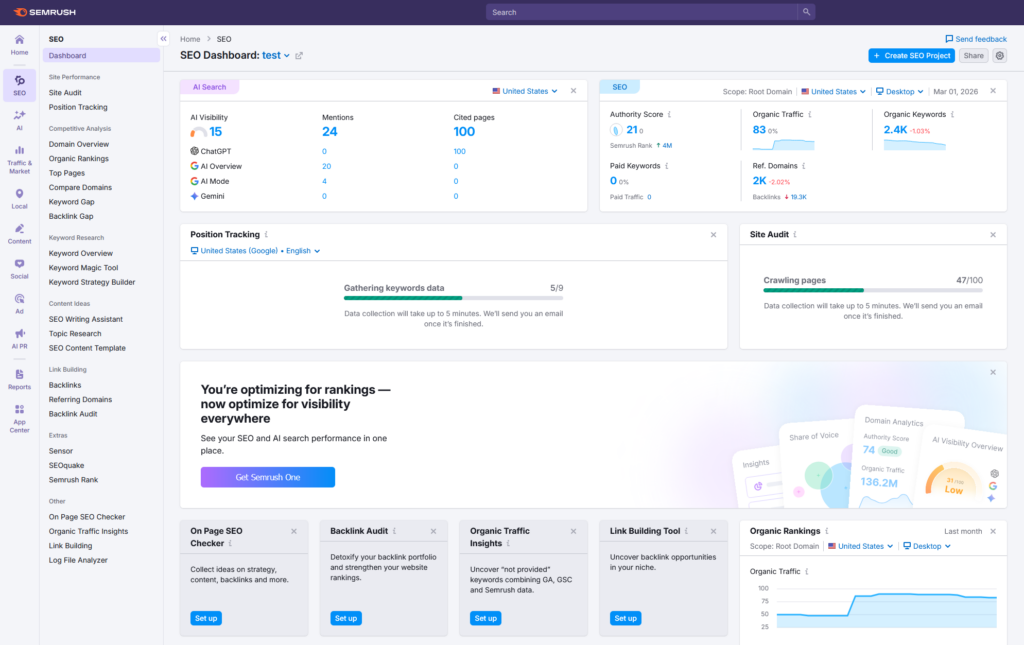
Semrush is a comprehensive SEO platform covering keywords, backlinks, and competitive research. CrawlRhino complements this type of tool by focusing specifically on technical website crawling and on-page analysis performed locally.
Many SEO professionals use both types of tools together — a crawler for technical audits and a platform tool for strategy and research.
CrawlRhino vs BeamUsUp Crawler
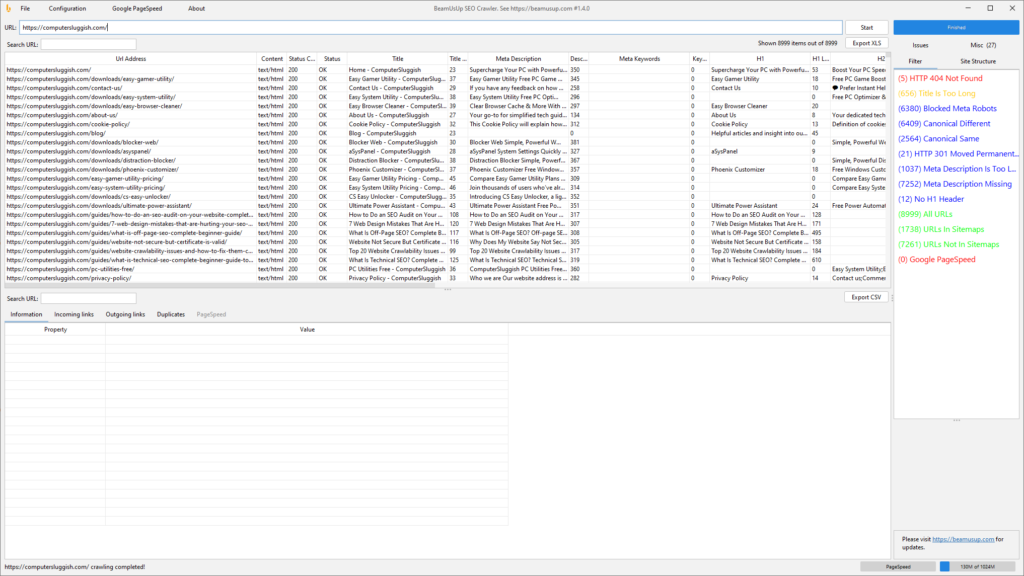
BeamUsUp was a popular desktop crawler known for simplicity, but development slowed over time and many users began looking for newer tools with modern capabilities.
CrawlRhino continues the desktop crawler approach while offering updated functionality and a more current workflow for analysing websites.
Who Should Use an SEO Analyzer?
SEO analyzers are useful for:
- Website owners improving visibility
- Freelance SEO consultants
- Web designers auditing client sites
- Agencies performing technical audits
- Developers diagnosing crawl issues
Even small websites benefit from regular analysis because technical issues often grow unnoticed over time.
When Should You Run an SEO Analysis?

Regular audits help maintain SEO health.
You should analyse your site:
- After launching a new website
- Following redesigns or migrations
- When rankings drop unexpectedly
- Before major content updates
- As part of ongoing SEO maintenance
Routine crawling helps catch problems before they impact rankings.
Final Thoughts
An SEO analyzer is one of the most important tools for understanding how search engines view your website. Technical issues can quietly affect rankings, and without crawling software they are often difficult to detect.
Desktop crawlers remain a practical solution for technical SEO analysis, especially for Windows users who want direct control over audits and detailed website insights.
CrawlRhino SEO Crawler provides a modern SEO analyzer designed specifically for Windows, helping users crawl websites, identify technical problems, and improve overall site structure.

You can learn more or download CrawlRhino SEO Crawler here:
https://crawlrhino.com/crawlrhino-seo-crawler/