
Free SEO Spider Tool
SEO spider tools allow website owners, developers, and SEO professionals to analyse how search engines crawl websites. By scanning pages automatically, these tools help identify technical issues that can affect search visibility and website performance.
If you are searching for an SEO spider tool free download, this guide explains what SEO spider software does, why it is important, and how to download a desktop crawler for Windows.
What is an SEO spider tool?

An SEO spider tool is software that crawls a website in a similar way to search engine bots such as Googlebot.
The crawler follows links across a website and collects technical data about each page, allowing users to analyse structure, metadata, and potential SEO problems.
SEO spider tools typically analyse:
- page titles and meta descriptions
- HTTP response codes
- internal and external links
- redirects and redirect chains
- crawl depth and site hierarchy
- broken links and errors
This process helps identify technical issues that may otherwise go unnoticed.
Why SEO spider tools are important for SEO
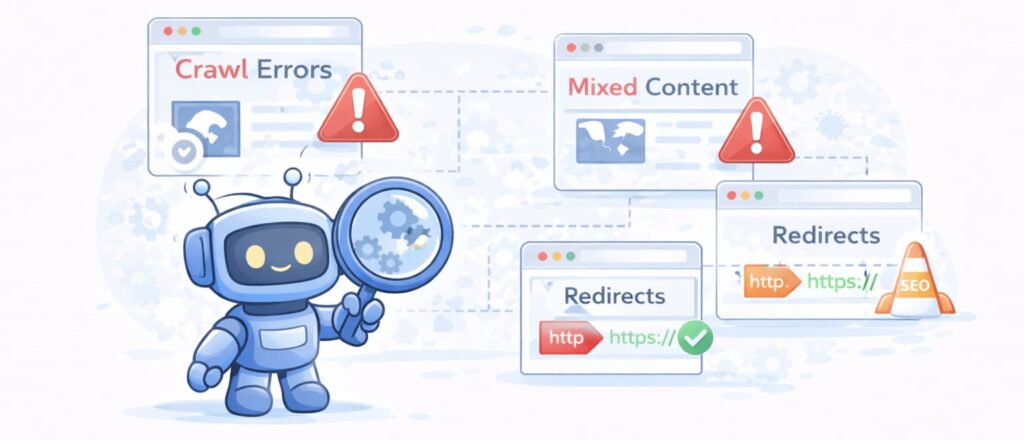
Search engines rely heavily on technical signals when indexing websites. Problems within site structure can prevent pages from being crawled efficiently.
SEO spider tools help by:
- detecting crawl errors
- identifying missing metadata
- improving internal linking structure
- diagnosing redirect issues
- revealing indexing obstacles
Regular crawling allows website owners to maintain technical health and improve overall performance.
Desktop SEO spider tools vs online SEO tools
Many SEO platforms now operate online, but desktop spider tools remain widely used due to their flexibility and control.
Advantages of desktop spider tools
- local website analysis using system resources
- faster crawling speeds depending on hardware
- no dependency on cloud servers
- greater control over crawl settings
- offline analysis capability
For developers and technical users, desktop tools often provide a more efficient workflow.
SEO spider tool free download for Windows
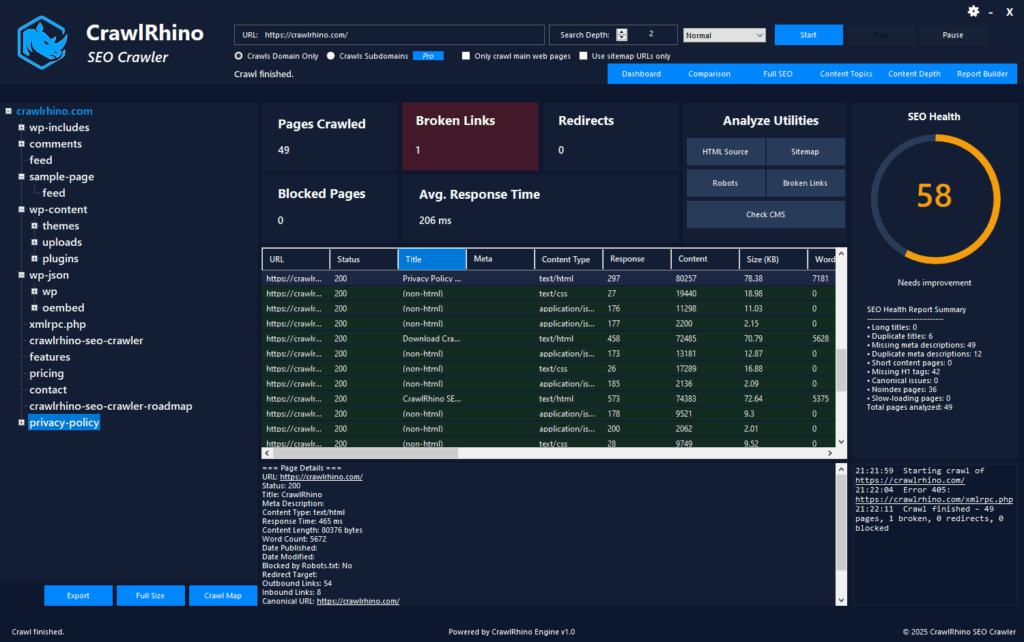
Windows users looking for a free SEO spider tool can download CrawlRhino SEO Crawler, a desktop-based crawler designed for technical website analysis.
Download here: https://crawlrhino.com/crawlrhino-seo-crawler/
CrawlRhino runs locally on Windows systems, allowing websites to be analysed without requiring cloud processing or subscription access for core crawling functionality.
Features included in CrawlRhino SEO Crawler
The crawler scans websites and gathers essential technical data including:
- HTTP status codes (200, 301, 404, 500)
- page metadata analysis
- internal and external link discovery
- redirect tracking
- crawl structure insights
- broken link detection
These features help users understand how their website is structured from a search engine perspective.
Who should use an SEO spider tool?
SEO spider software is useful for:
- website owners managing their own sites
- web developers testing new builds
- agencies performing technical audits
- bloggers improving site structure
- businesses monitoring website health
Even small websites benefit from periodic crawling to detect issues early.
How to use an SEO spider tool
Getting started is simple:
- Install the software on your computer
- Enter the website URL you want to analyse
- Start the crawl
- Review technical results and identify issues
Running regular crawls helps maintain consistent technical performance.
When should you run a website crawl?
A crawl is recommended:
- after launching a new website
- after redesigning pages
- when SEO rankings change unexpectedly
- during routine maintenance checks
- before major content updates
Regular analysis helps prevent technical problems from accumulating over time.
Choosing the right SEO spider software

Different tools suit different workflows. Some provide extensive enterprise features, while others focus on lightweight technical analysis.
When choosing a crawler, consider:
- ease of use
- system performance impact
- crawl speed
- reporting clarity
- update frequency
The best tool is one that fits naturally into your regular workflow.
Final thoughts
SEO spider tools play an essential role in understanding how search engines discover, crawl, and evaluate websites. By analysing site structure and technical signals, crawler software helps uncover issues that can negatively affect indexing and performance.
Using a desktop SEO spider tool allows website owners and developers to identify problems such as broken links, redirects, and missing metadata before they impact search visibility. Regular crawling also helps maintain a clean internal structure and improves long-term site health.
While different crawler tools offer different workflows and feature sets, the most important factor is consistency. Running periodic technical audits ensures websites remain accessible to search engines and users alike.
If you are new to technical SEO, starting with a free desktop crawler is one of the simplest ways to understand how search engines view your website and begin improving overall performance.
Regular technical analysis remains one of the most effective foundations for long-term SEO success.