
Free SEO Spider Tool for Windows 10 and 11
SEO spider tools are essential for analysing website structure, diagnosing technical SEO issues, and understanding how search engines crawl websites. Without using an SEO spider tool, many technical problems can remain undetected, directly affecting search visibility, website performance, and reliability.
For Windows users, using a desktop SEO spider tool provides the most efficient way to analyse websites locally without relying on cloud-based services.
This guide explains what an SEO spider tool is, why it is important, and how to download and use a free SEO spider tool for Windows.
What is an SEO spider tool
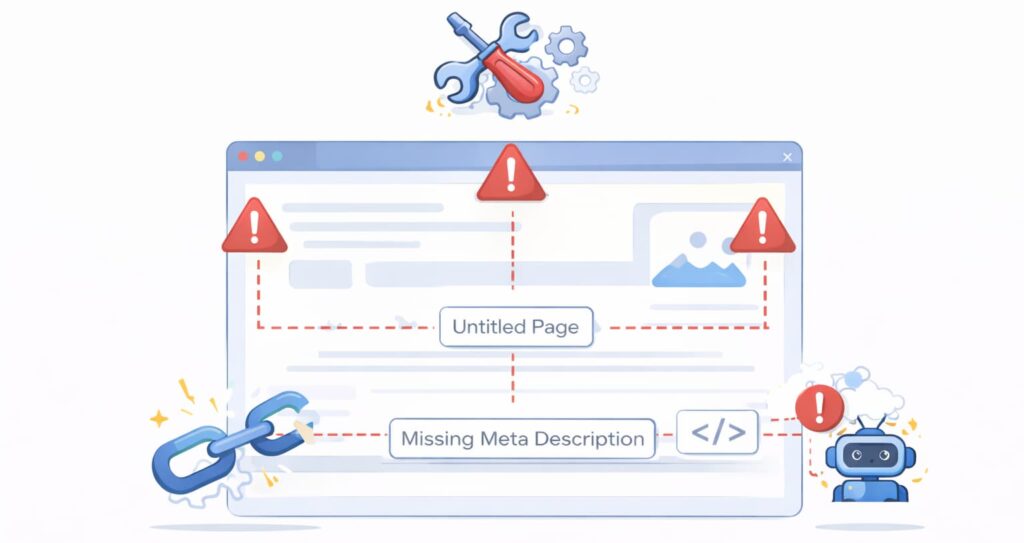
An SEO spider tool is software that crawls websites in the same way search engine bots crawl pages. It systematically scans each page, collects technical data, and identifies structural or performance issues.
SEO spider tools analyse:
- internal links
- external links
- HTTP status codes
- page titles and meta descriptions
- redirect chains
- crawl depth and structure
- indexing issues
This allows website owners and developers to understand how search engines see their website.
Without this analysis, technical SEO problems can remain hidden.
Why SEO spider tools are essential for technical SEO
Search engines rely on efficient crawling to discover, analyse, and index website content. If a website has structural problems, search engines may not crawl or index pages efficiently.
SEO spider tools help identify issues such as:
- broken links returning 404 errors
- redirect loops causing crawl inefficiencies
- missing metadata affecting search visibility
- inefficient internal linking
- orphan pages not linked properly
These issues can directly affect search rankings and indexing.
From analysing many websites using crawler tools, technical inefficiencies are far more common than most website owners realise.
Free SEO spider tool download for Windows
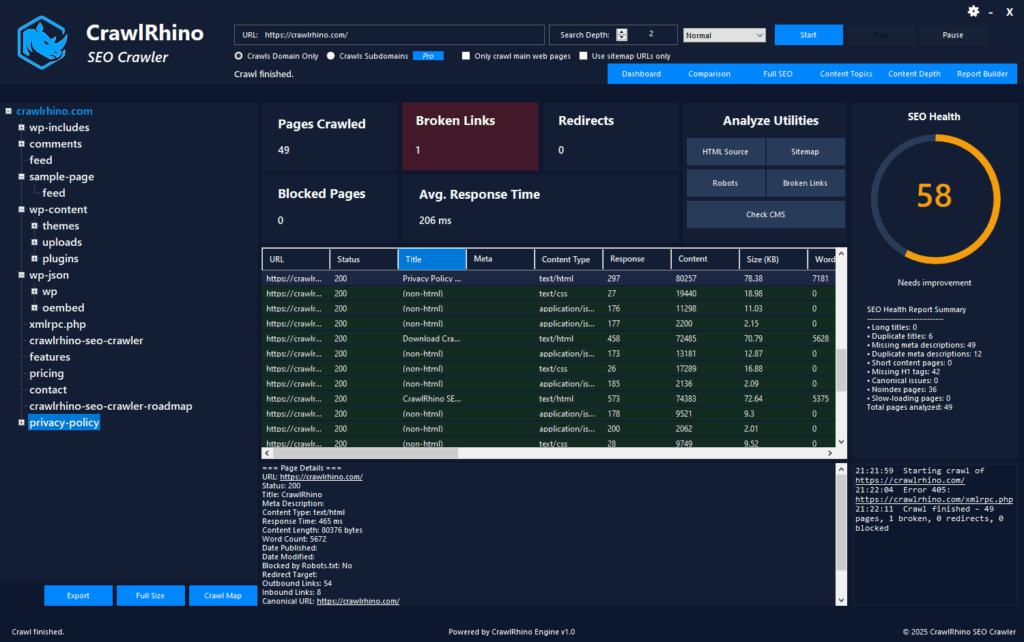
For Windows users looking for a free SEO spider tool, CrawlRhino SEO Crawler provides a lightweight desktop crawler designed specifically for Windows systems.
You can download the free SEO spider tool here: https://crawlrhino.com/crawlrhino-seo-crawler/
This tool allows you to crawl websites locally and analyse technical SEO structure efficiently.
Because it runs directly on Windows, it provides fast and efficient crawling performance.
Why desktop SEO spider tools are more efficient
Desktop SEO spider tools offer several advantages compared to browser-based or cloud crawler tools.
These advantages include:
- faster crawling using local CPU and memory
- no reliance on external servers
- full control over crawl settings
- improved privacy and security
- efficient analysis of large websites
Running the spider locally allows faster technical analysis compared to online tools.
Desktop crawler tools are widely used by developers, technical SEO specialists, and website owners.
What CrawlRhino SEO spider tool analyses
CrawlRhino SEO spider tool analyses key technical elements affecting website performance and SEO.
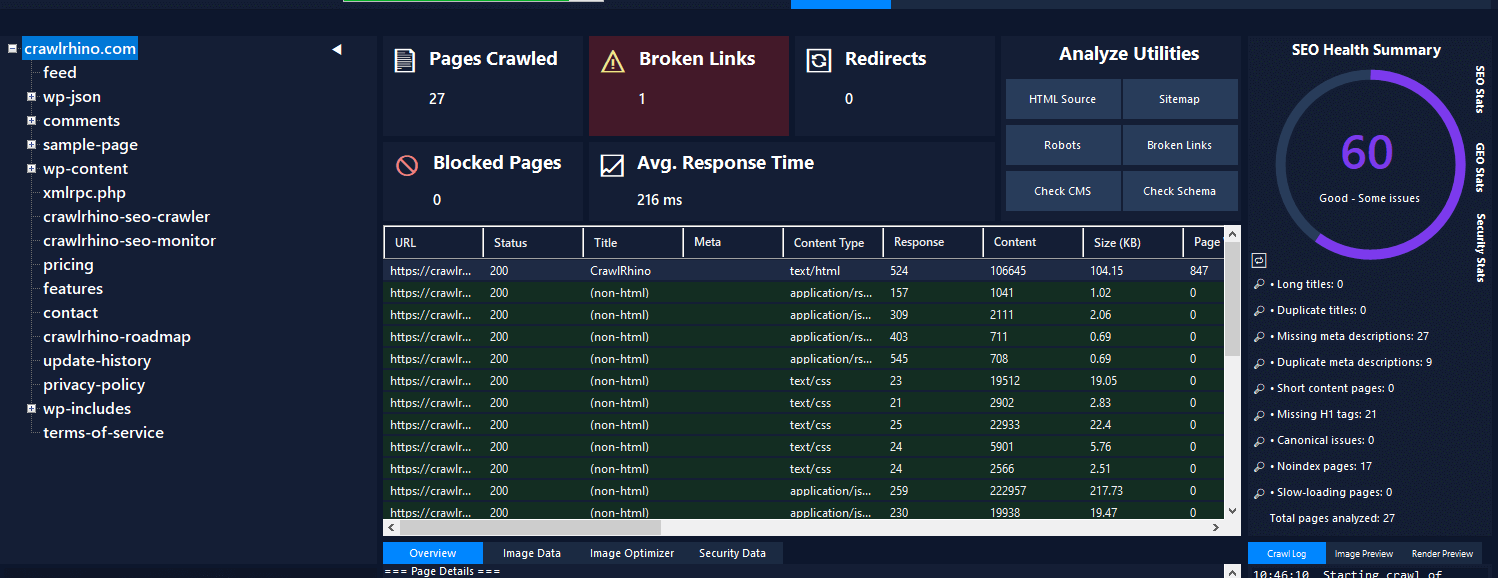
This includes:
HTTP status codes
Detect broken pages, redirects, and server errors.
Page titles and metadata
Identify missing or duplicate titles and descriptions.
Internal linking structure
Analyse how pages connect and identify inefficient linking.
Redirect chains
Detect inefficient redirect structures affecting crawl efficiency.
Technical crawl data
Understand website structure and identify technical weaknesses.
This provides valuable insight into how websites perform technically.
Real-world technical problems SEO spider tools can detect
SEO spider tools frequently detect technical issues that are not visible during normal browsing.
These include:
broken internal links affecting crawl efficiency
redirect loops slowing down crawling
missing metadata reducing search visibility
plugin-generated duplicate pages
inefficient internal linking structure
In some cases, critical issues can exist for long periods without being noticed.
Using an SEO spider tool makes these problems easy to identify.
How to use the SEO spider tool on Windows
Using CrawlRhino SEO spider tool is straightforward.
Download and install the software from: https://crawlrhino.com/crawlrhino-seo-crawler/
Launch the tool and enter the website URL.
The spider will crawl the website and display technical analysis results.
You can then review technical data and identify issues affecting performance.
You can also follow this full tutorial:
Why Windows users benefit from native SEO spider tools
Windows-based desktop spider tools provide better performance compared to web-based tools.
Because they run locally, they can crawl websites faster and more efficiently.
Windows users can analyse websites directly without browser limitations.
This provides more efficient technical analysis.
Native Windows crawler tools are especially useful for developers and technical SEO analysis.
Common technical problems found using SEO spider tools

From crawling many websites, some of the most common issues include:
404 errors affecting crawl efficiency
redirect chains increasing load time
duplicate metadata affecting rankings
excessive resource loading
inefficient page structure
These problems directly affect website performance and search visibility.
SEO spider tools provide the most efficient way to detect these issues.
Final thoughts
SEO spider tools are essential for understanding website technical structure and diagnosing issues affecting performance and search visibility.
Without using a crawler tool, many technical problems remain undetected, reducing website effectiveness and SEO performance.
Using a free SEO spider tool for Windows allows website owners and developers to analyse websites efficiently and identify technical weaknesses.
Desktop spider tools provide fast, efficient, and reliable technical analysis.
You can download the free SEO spider tool for Windows here
Using proper technical analysis tools helps ensure websites remain efficient, stable, and optimised for search engines.