
robots.txt Explained: What It Is, How to Create It, and How It Affects Google Indexing
The robots.txt file is one of the most important files on your website for SEO. It tells search engines like Google which pages they are allowed to crawl and which pages they should ignore.
If your robots.txt file is wrong, Google may not crawl your website properly. This can prevent your website from appearing in search results.
Many websites accidentally block Google without realising it.
In this guide, you’ll learn exactly what robots.txt is, how it works, how to create robots.txt correctly, and how to check if it is blocking your website.
Everything is explained in simple terms.
What Is robots.txt
The robots.txt file is a small text file located in your website’s main directory.
For example:
yourwebsite.com/robots.txt
This file gives instructions to search engine crawlers such as:
Googlebot
Bingbot
Other search engine bots
It tells them which pages or folders they can crawl and which ones to avoid.
This helps control how your website appears in search engines.
Without a robots.txt file, search engines will attempt to crawl everything they can access.
Why robots.txt Is Important for SEO
robots.txt plays a key role in helping search engines crawl your website properly.
It can help prevent search engines from crawling pages such as:
Admin areas
Duplicate pages
Private areas
Testing pages
However, if configured incorrectly, it can block your entire website from Google.
This is one of the most common reasons websites do not appear in search results.
Many website owners accidentally use robots.txt disallow all settings during development and forget to remove them.
Example of robots.txt File
Here is a simple robots.txt example that allows search engines to crawl everything:
User-agent: *
Allow: /
This tells all search engine bots they can crawl your entire website.
Here is an example that blocks everything:
User-agent: *
Disallow: /
This tells search engines to avoid your entire website.
This will prevent your website from appearing on Google.
This is one of the most common robots.txt mistakes.
How to Create robots.txt File
Creating a robots.txt file is simple.
Open a text editor such as Notepad.
Add your instructions.
Save the file as:
robots.txt
Upload it to your website’s root folder.
Your robots.txt file should be accessible at:
yourwebsite.com/robots.txt
Many website platforms automatically create this file.
However, it is important to check it to ensure it is not blocking your website.
How to Check robots.txt File
You can check robots.txt by visiting:
yourwebsite.com/robots.txt
You can also use tools such as:
Google Search Console
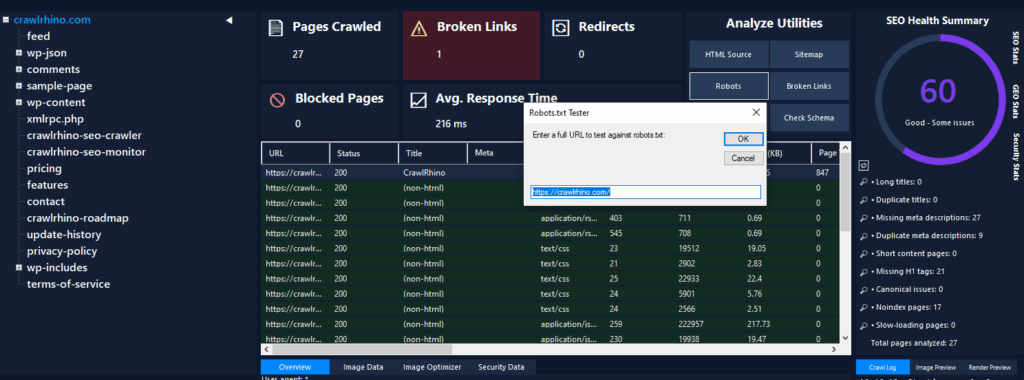
CrawlRhino SEO Crawler
Ahrefs Site Audit
Semrush Site Audit
These tools show whether your robots.txt file is blocking search engines.
CrawlRhino SEO Crawler is especially useful because it shows crawl blocks, crawl errors, and blocked pages in a simple format.
This helps identify problems quickly.
You can download CrawlRhino SEO Crawler here:
https://crawlrhino.com/crawlrhino-seo-crawler/
Common robots.txt Mistakes
Many websites have robots.txt errors that prevent indexing.
Common problems include:
robots.txt disallow all
robots.txt block all pages
Incorrect folder blocking
Accidental crawl blocking
For example:
Disallow: /
This blocks your entire website.
Sometimes developers use this during testing and forget to remove it.
This prevents Google indexing website pages.
robots.txt Disallow Example
This example blocks a specific folder:
User-agent: *
Disallow: /admin/
This tells search engines not to crawl the admin folder.
This is useful for protecting private areas.
This does not block your entire website.
This is the correct way to use robots.txt.
How robots.txt Affects Google Indexing
Google must crawl your website before indexing it.
If robots.txt blocks Googlebot, Google cannot crawl your pages.
This prevents indexing.
This is why checking robots.txt is critical if your website is not appearing on Google.
Many people search for why Google is not indexing my site and the answer is often robots.txt blocking Google.
Using CrawlRhino SEO Crawler helps confirm whether Google can crawl your website properly.
How to Check robots.txt Using CrawlRhino SEO Crawler
CrawlRhino SEO Crawler scans your website and shows:
Blocked pages
Crawl errors
robots.txt restrictions
Technical SEO issues
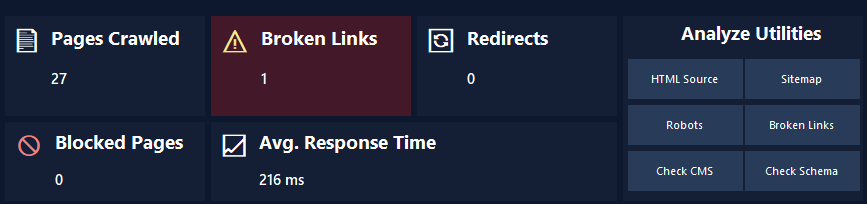
This shows exactly what search engines can and cannot crawl.
This helps fix indexing problems faster.
It provides a clear overview of crawl accessibility.
Other Tools to Check robots.txt
Google Search Console provides robots.txt testing tools.
Ahrefs Site Audit can identify crawl issues and blocked pages.
Semrush Site Audit also checks robots.txt problems.
These tools are useful for large websites.
However, CrawlRhino SEO Crawler provides a simpler way to scan your website locally and identify crawl blocks.
You can download CrawlRhino SEO Crawler here:
https://crawlrhino.com/crawlrhino-seo-crawler/
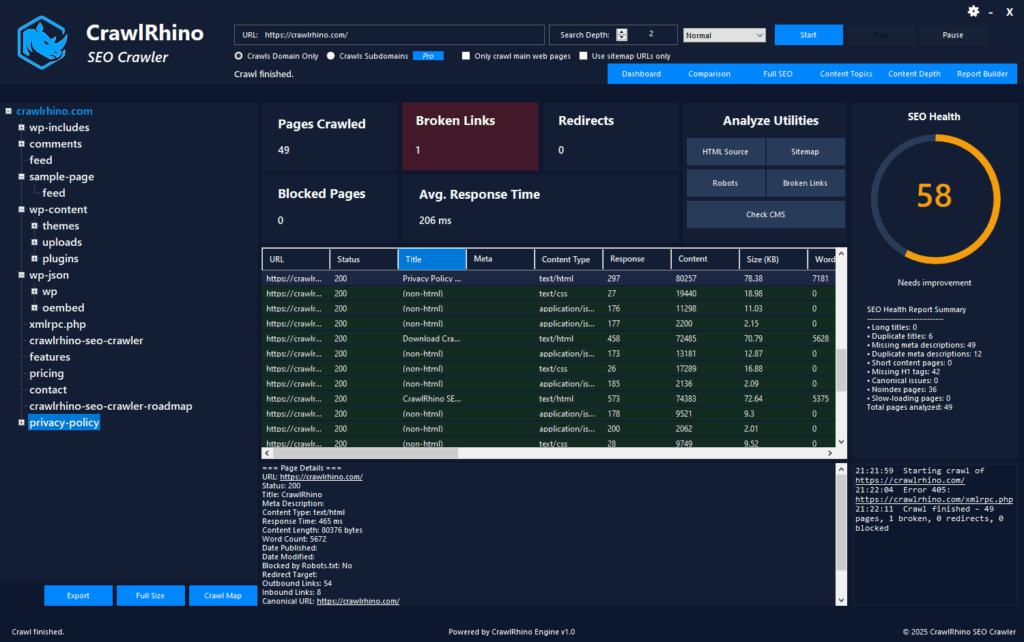
This makes it ideal for beginners and professionals.
robots.txt vs Noindex
robots.txt and noindex are different.
robots.txt prevents crawling.
noindex prevents indexing.
If Google cannot crawl a page, it may not index it.
Both must be configured correctly.
CrawlRhino SEO Crawler detects both crawl blocks and indexing issues.
How to Fix robots.txt Problems
If your robots.txt file is blocking important pages, you need to edit it.
Remove incorrect disallow rules.
Allow search engines to crawl your important pages.
After fixing robots.txt, Google can crawl and index your website.
You can verify fixes using CrawlRhino SEO Crawler.
robots.txt Best Practices
Allow search engines to crawl important pages
Block private or admin areas only
Do not block your entire website
Check robots.txt regularly
Fix crawl errors
These practices help improve SEO and indexing.
How CrawlRhino SEO Crawler Helps Fix robots.txt Problems
CrawlRhino SEO Crawler scans your website and shows crawl blocks clearly.
It identifies robots.txt restrictions instantly.
This helps ensure Google can crawl your website properly.
Fixing crawl access improves indexing and search visibility.
You can download CrawlRhino SEO Crawler here:
https://crawlrhino.com/crawlrhino-seo-crawler/
Final Thoughts
robots.txt is a small file but plays a major role in SEO.
If configured incorrectly, it can prevent your entire website from appearing on Google.
Many websites have hidden crawl blocks without realising it.
Checking robots.txt regularly ensures search engines can crawl your website properly.
Tools like CrawlRhino SEO Crawler, Google Search Console, Ahrefs, and Semrush help identify crawl problems.
Fixing robots.txt issues helps Google index your website and improves visibility in search results.