
Why Can’t I Find My Website on Google? (Complete Beginner Guide + Fixes)
You’ve built your website. It’s live. You can open it in your browser. But when you search for it on Google… it doesn’t show up.
This is frustrating, especially if your business depends on customers finding you online.
The good news is: this is extremely common, and it’s almost always fixable.
In this guide, I’ll explain in plain English:
- Why your website isn’t showing on Google
- How Google finds and crawls websites
- The most common problems that block websites
- How to fix each issue step-by-step
- How to check your website using CrawlRhino SEO Crawler
No technical experience needed.
First: How Google Actually Finds Websites
Google uses automated software called a crawler (also known as Googlebot).
Think of it like a visitor that travels around the internet.
It does 3 main things:
- Finds websites
- Reads website pages
- Stores them in Google’s database (called the index)
Only websites in Google’s index can appear in search results.
If Google hasn’t crawled or indexed your website yet, it simply won’t appear — even if your website is working perfectly.
This is why checking your website’s crawlability is so important.
Tools like CrawlRhino SEO Crawler scan your website and show exactly what Google can and cannot access.
Reason 1: Your Website Is Too New
This is the number one reason websites don’t appear on Google.
If your website was created recently, Google may not have discovered it yet.
Google doesn’t automatically know every website exists. It finds websites by following links from other websites.
If no websites link to yours, Google has no path to find it.
This is very common for:
- New business websites
- New WordPress websites
- New online stores
- Local business websites
Even though your site is live, Google still needs to:
- Discover it
- Crawl it
- Understand it
- Add it to its index
This process can take anywhere from a few hours to several weeks.
How to fix it
First, make sure your website can actually be crawled.
You can use CrawlRhino SEO Crawler to scan your website and confirm all pages are accessible.
You should also submit your website to Google Search Console to speed things up.
Reason 2: Google Cannot Crawl Your Website Properly
Sometimes Google tries to crawl your website but cannot access certain pages.
This can happen if:
- Pages are broken
- Pages return errors
- Links don’t work properly
- Your website structure is confusing
If Google cannot access your pages, it cannot index them.
This means they will never appear in search results.
Many website owners don’t realise this is happening because the website looks fine in a browser.
But Google sees websites differently.
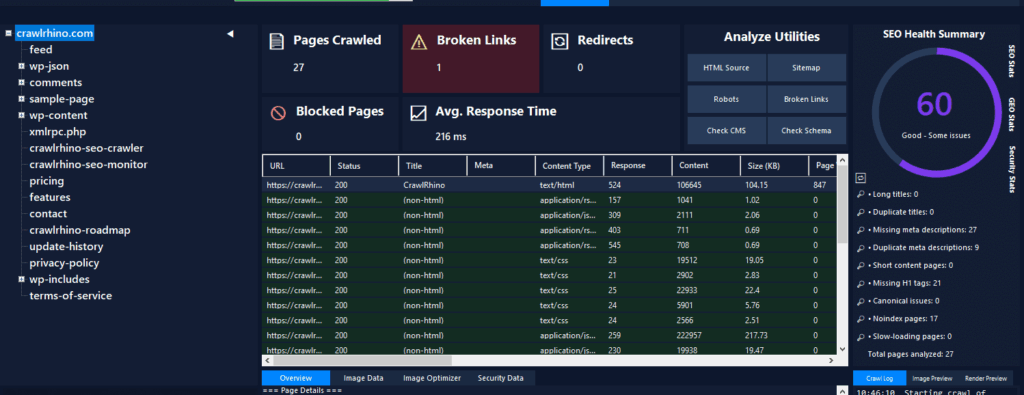
This is where CrawlRhino SEO Crawler helps. It scans your website the same way Google does and shows which pages are accessible and which are not.
Reason 3: Your robots.txt File Is Blocking Google
Your website has a file called robots.txt.
This file tells crawlers what they are allowed and not allowed to access.
Sometimes this file accidentally blocks your entire website.
For example:
User-agent: *
Disallow: /
This tells Google to avoid your whole website.
This often happens when:
- A website was in development
- A developer blocked it temporarily
- A website builder enabled privacy settings
Many people forget to remove this block when launching the site.
How to fix it
You need to allow Google to crawl your website.
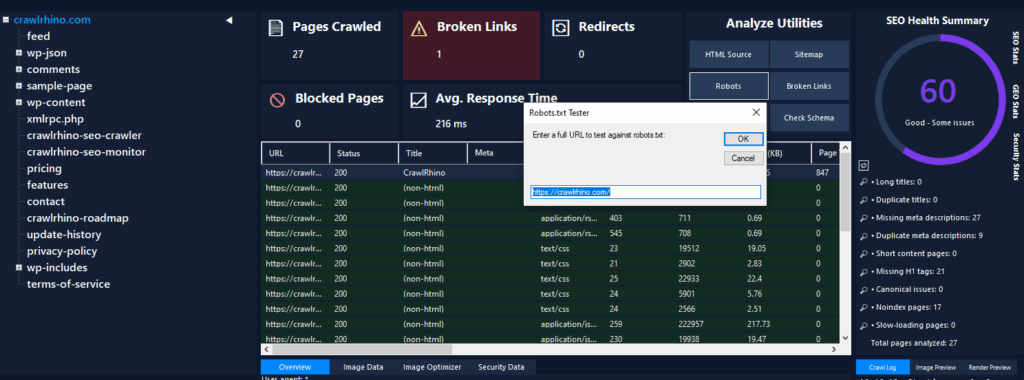
CrawlRhino SEO Crawler can instantly detect if pages are blocked by robots.txt so you can fix the problem quickly.
Reason 4: Your Pages Have a “No Index” Tag
Your website may be telling Google not to show your pages.
This happens when pages contain a “noindex” instruction.
This is very common on WordPress websites.
Sometimes website themes or SEO plugins enable this setting accidentally.
When this happens:
Google can see your website
But it will refuse to show it in search results
Many website owners don’t realise this is enabled.
How to fix it
Remove the noindex instruction from your pages.
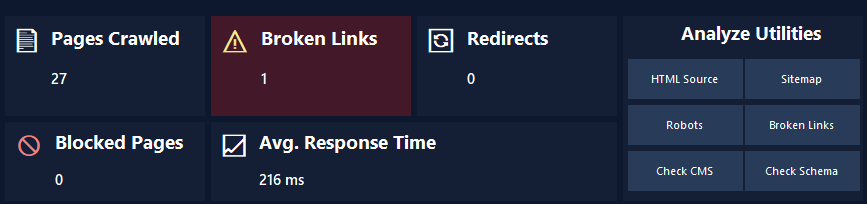
CrawlRhino SEO Crawler automatically finds and shows pages with noindex so you can fix them easily.
Reason 5: Your Website Has No Links Pointing To It
Google finds websites by following links.
If nothing links to your website, Google may never discover it.
This is like having a shop in the middle of nowhere with no roads leading to it.
Google needs at least one path to find you.
How to fix it
Create links from places like:
- Your social media pages
- Your Google Business Profile
- Other websites
- Online directories
Even a few links help Google discover your website faster.
Reason 6: Your Website Has Crawl Errors or Broken Pages
Sometimes Google tries to crawl your website but encounters errors.
These errors include:
- Broken pages
- Missing pages
- Redirect problems
- Server errors
If Google hits too many errors, it may stop crawling your website.
This prevents indexing.
These problems are often invisible unless you use a crawler.
CrawlRhino SEO Crawler scans your entire website and shows:
- Broken pages
- Crawl errors
- Redirect problems
- Missing content
This makes it easy to fix them.
Reason 7: Your Website Has Very Little Content
Google wants to show useful websites.
If your website has very little content, Google may ignore it.
For example, websites with:
- One page
- Very little text
- No useful information
are less likely to appear.
Google prefers websites that clearly explain what they offer.
How to fix it
Add useful pages such as:
- Home page
- About page
- Services page
- Contact page
Make sure each page has useful information.
CrawlRhino SEO Crawler can help you see all your pages in one place and identify missing titles or descriptions.
Reason 8: Your Website Is Not Indexed Yet
Your website may exist, but Google has not added it to its index yet.
You can check by searching this on Google:
site:yourwebsite.com
If nothing appears, your website is not indexed.
This means Google hasn’t added it yet.
How to fix it
First, make sure your website can be crawled properly.
You can confirm this using CrawlRhino SEO Crawler.
If crawl issues exist, Google cannot index your website.
Fix those problems first.
Reason 9: Your Website Has Technical SEO Problems
Many websites have hidden technical problems that prevent Google from crawling properly.
These include:
- Broken links
- Missing page titles
- Missing descriptions
- Crawl blocks
- Redirect loops
These problems are very common.
Most website owners don’t realise they exist.
CrawlRhino SEO Crawler finds these problems automatically.
It shows exactly what Google sees when it visits your website.
How to Check If Your Website Can Be Crawled
This is one of the most important steps.
You need to make sure Google can access your website.
The easiest way to do this is using CrawlRhino SEO Crawler.
It scans your website and shows:
- All pages
- Crawl errors
- Blocked pages
- Broken links
- Redirect issues
- Technical SEO problems
This helps you fix problems before Google encounters them.
Why Website Crawling Is So Important
If your website cannot be crawled, Google cannot index it.
If Google cannot index it, it cannot appear in search results.
This means customers will never find your website.
Crawling helps ensure your website is visible.
CrawlRhino SEO Crawler was built specifically to help website owners check crawlability and fix indexing problems.
How CrawlRhino SEO Crawler Helps Fix This Problem
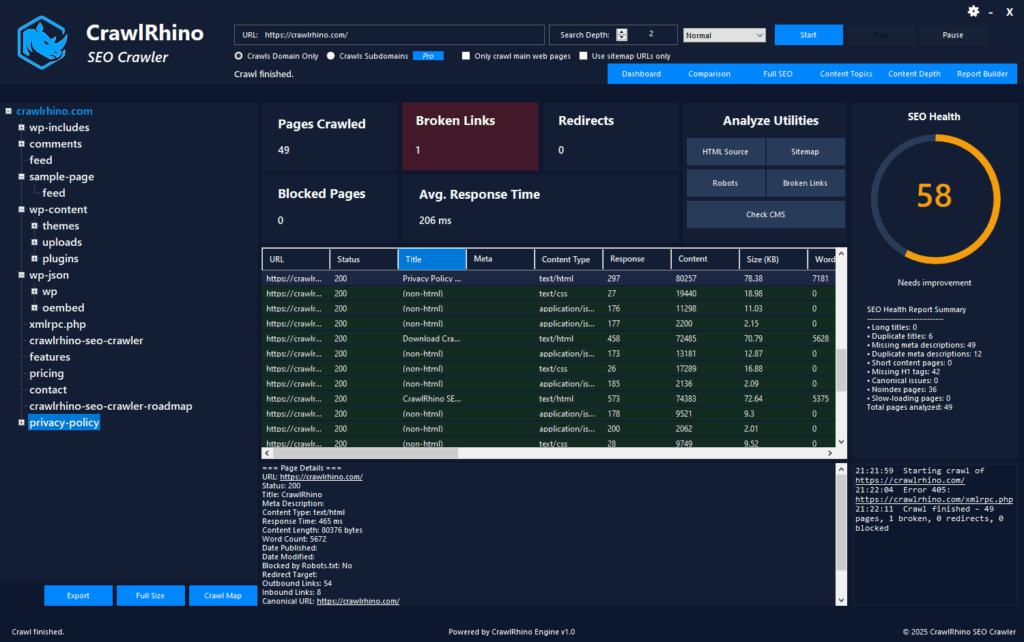
CrawlRhino SEO Crawler scans your website just like Google does.
It helps you:
- Find crawl errors
- Identify blocked pages
- Detect broken links
- See missing titles and descriptions
- Fix technical SEO problems
This helps your website get indexed faster and appear on Google.
You can download CrawlRhino SEO Crawler here:
Quick Checklist: Fix Website Not Showing on Google
Go through this checklist:
✔ Website is live
✔ Website is not blocking Google
✔ Pages do not have noindex
✔ Website has useful content
✔ Website has links pointing to it
✔ Website has no crawl errors
✔ Website can be crawled
✔ Website is indexed
CrawlRhino SEO Crawler helps check all of this.
Final Thoughts
If you can’t find your website on Google, don’t panic.
This is very common, especially for new websites.
Most of the time, the problem is simply that Google hasn’t crawled or indexed your website properly.
The fastest way to fix this is to scan your website using CrawlRhino SEO Crawler and fix any problems.
Once Google can crawl and index your website correctly, it will start appearing in search results.